Newbie here - and lost!

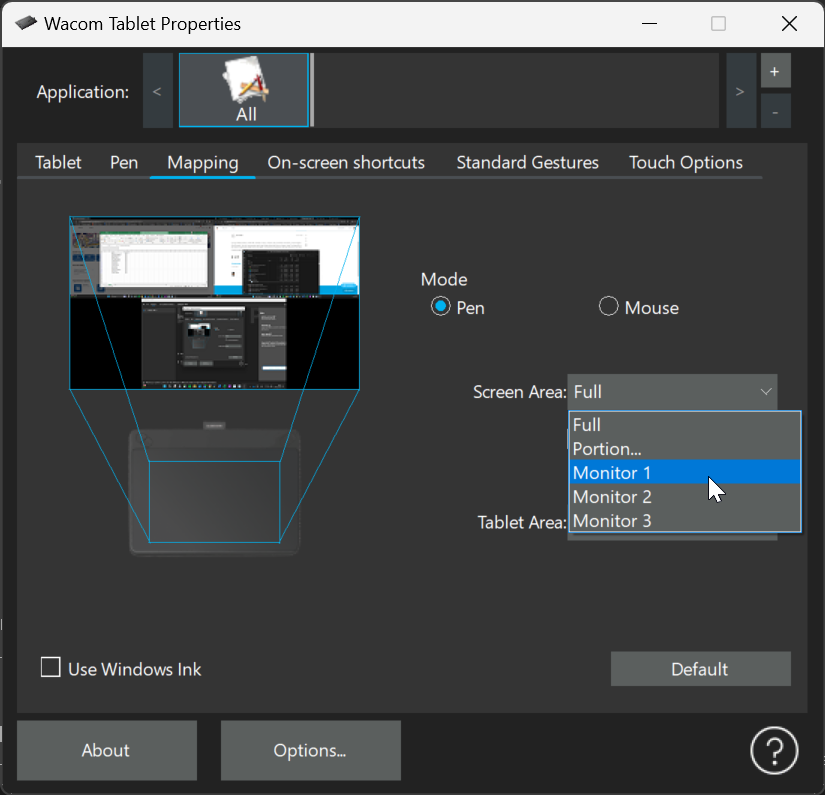
I just got a Wacom Intuos. I work with 2 monitors on my pc. I want to use just monitor 1 for drawing. I have mapped for just monitor 1. But, as I move the pen over the bed, it goes all the way over to my other monitor. And because of this I have lost 50% of the usable space on the tablet. I am tracing an image that is less than 4"x4". But I can't get it to fit on just the one monitor.
0
-

Hi Jaci Siehl,
You can map the tablet to a single monitor using the Screen Area drop down selector in the Mapping tab.
 0
0
Please sign in to leave a comment.
댓글
댓글 1개