Having trouble using One by Wacom in program

I've been using Decker ( link: https://internet-janitor.itch.io/decker) and having some issues with the native files. While using it on the web my drawing pad works fine and i can draw normally but as soon as I use the application on my computer nothing will draw, or it will draw likes randomly. When coloring I have to tap splotches on to the page, I have an idea on what's the issue.
so i think that the program is expecting something like a left click or something but in the pen settings there is no left click option for the buttons. Normally using the tablet would just recognize the pen as left click but for some reason it's not.
This is just me making assumptions though. If you have a better idea on what the issue is please let me know. I've already talked/speaking with people in the Decker community to help but figured it would be good to ask here as well.
-

Hi kensie kolman,
To me it seems that the Decker desktop app cannot support pen input data. Please note that pen data is difference from mouse input data so applications will usually have to build in some sort of support for this to work.
There's a few things you can still try:
-
Disable / Enable Windows Ink (Windows only): From the Wacom driver, untick or tick the Windows Ink box. (Under the pen settings or Mapping settings, depending on your Wacom device)
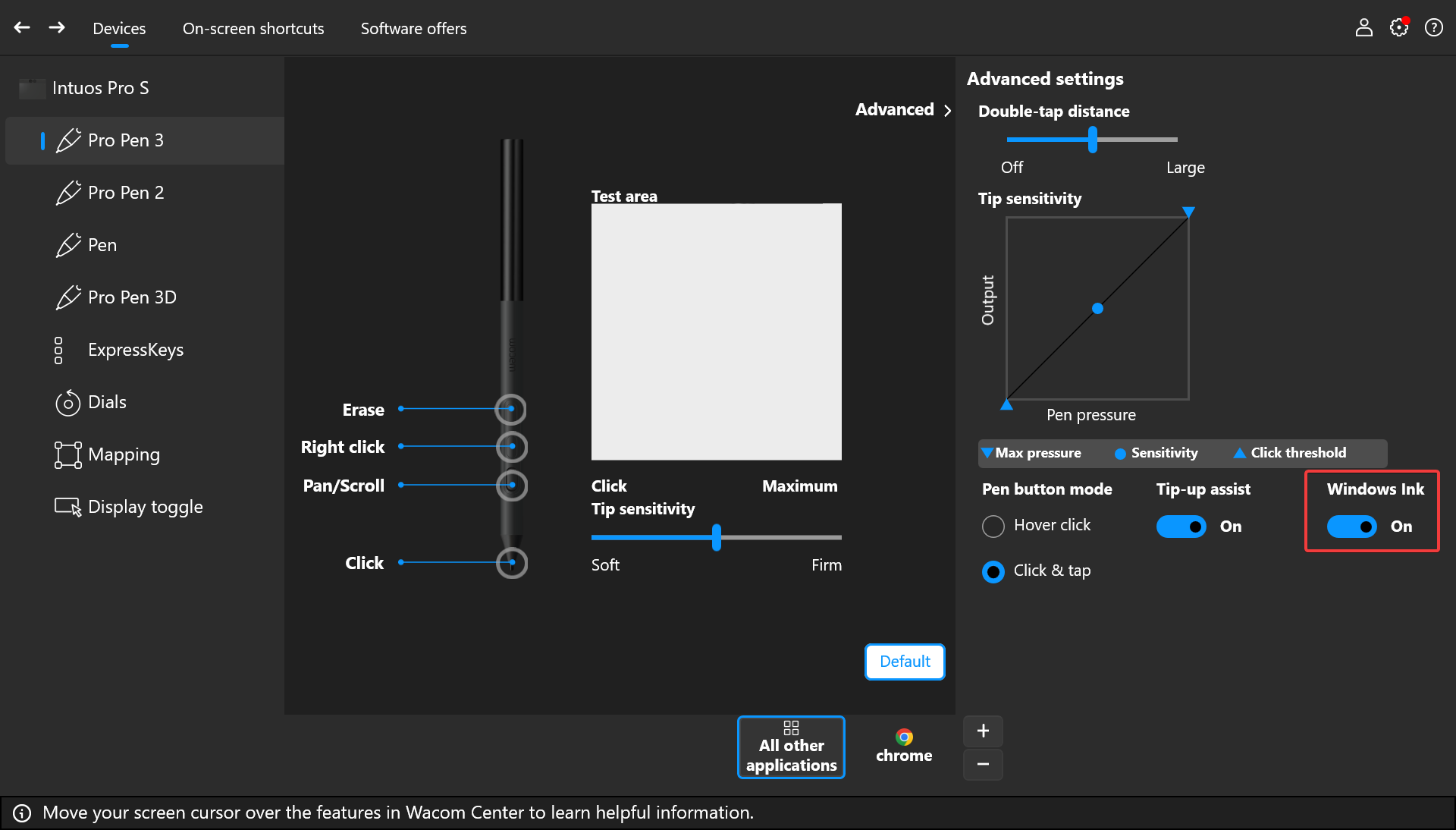
- Enable or disable Tip-up assist from the same menu as shown above and see if there's any changes
- Switch to Mouse mode and see if there are any changes
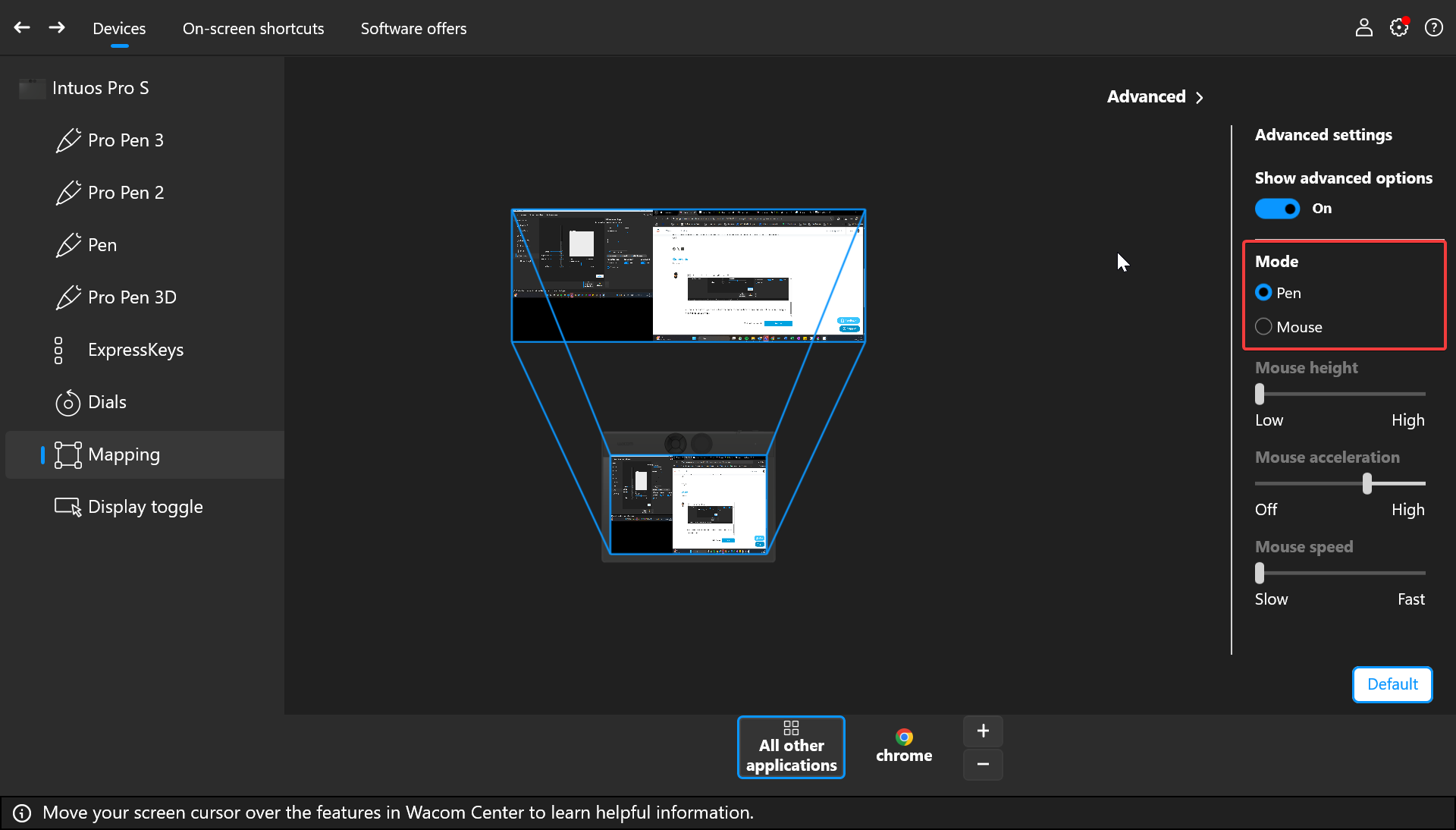
0 -
Disable / Enable Windows Ink (Windows only): From the Wacom driver, untick or tick the Windows Ink box. (Under the pen settings or Mapping settings, depending on your Wacom device)
Please sign in to leave a comment.
댓글
댓글 1개