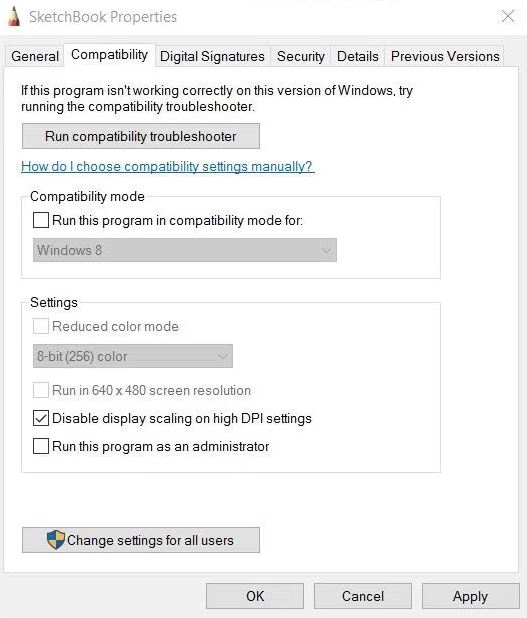
Some customers have reported that a setting for large resolutions in Autodesk Sketchbook can cause an offset with the pen and cursor when drawing. To resolve this issue, please follow the steps below.
- Right click the Sketchbook icon and select Properties
- Navigate to the Compatibility tab
- Select Disable Display Scaling On High DPI Settings
- Accept and close the window
- Re-launch Sketchbook