Intuos 4 not connecting on Mac Sequoia

My Intuos 4 (Model PTK-640) won't work on my MacBook on Mac OS Sequoia. In the Wacom Desktop Center under My Devices, I see that it says 'No Devices Connected', even though the tablet is connected via USB and has power. I've tried adding the Wacom apps to the Privacy and Security Accessibility & Input Monitoring sections and restarting, but it's still not recognizing the tablet. I've searched some similar posts, but can't find a fix. I even re-installed the drivers in case that was the issue. What else should I try?
-

Hi Al Lemieux,
From your description, either the driver you installed doesn't support your Intuos 4 or, there is a problem with the cable.
Please make sure you download and install the correct driver from here: https://www.wacom.com/en-de/support/product-support/drivers
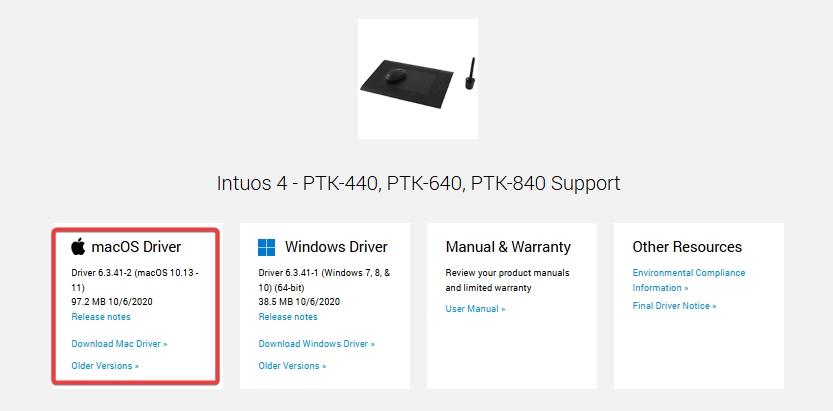
NOTE: This driver version might not install in Sequoia since when it was released, Sequioa was not out yet. If you have issues installing, then unfortuantely there is no other more recent compatible driver with your Intuos 4
If you manage to install that driver and the issue persists, then please check the cable and replace it if possible.
0 -

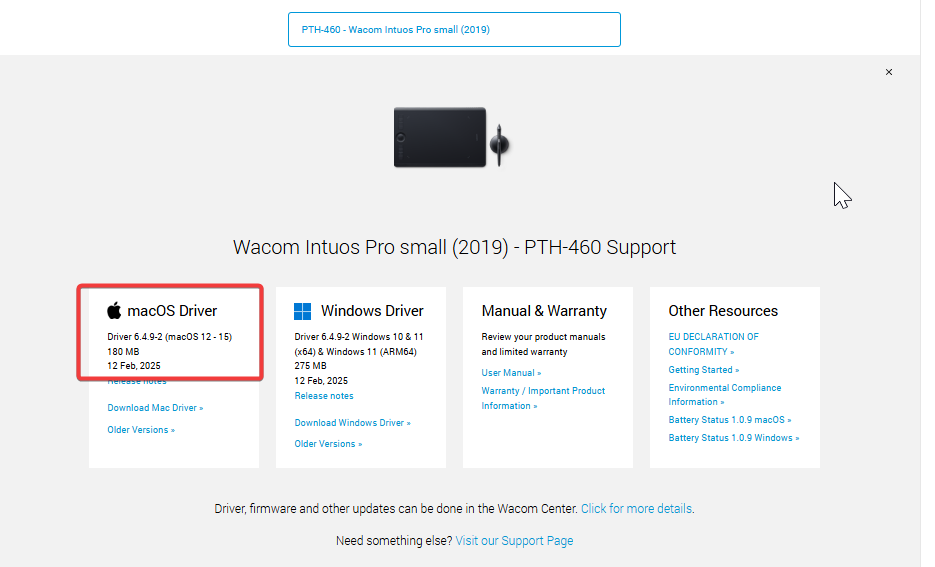
Hi, So there is no compatible driver for Sequoia and Intuos Pro PTH-460?
0 -
Hi Katri Stolt
The Intuos Pro is still a fairly recent model so it is still supported in Sequoia.
 0
0 -
I bought a new cable, connected it and the tablet has power, but the Wacom desktop center says No device connected.
0 -
Hi Al Lemieux,
Just to be sure, did you install the driver I recommended in my first reply? You didn't mention this so I want to be sure.
Here is is again:
Please make sure you download and install the correct driver from here: https://www.wacom.com/en-de/support/product-support/drivers
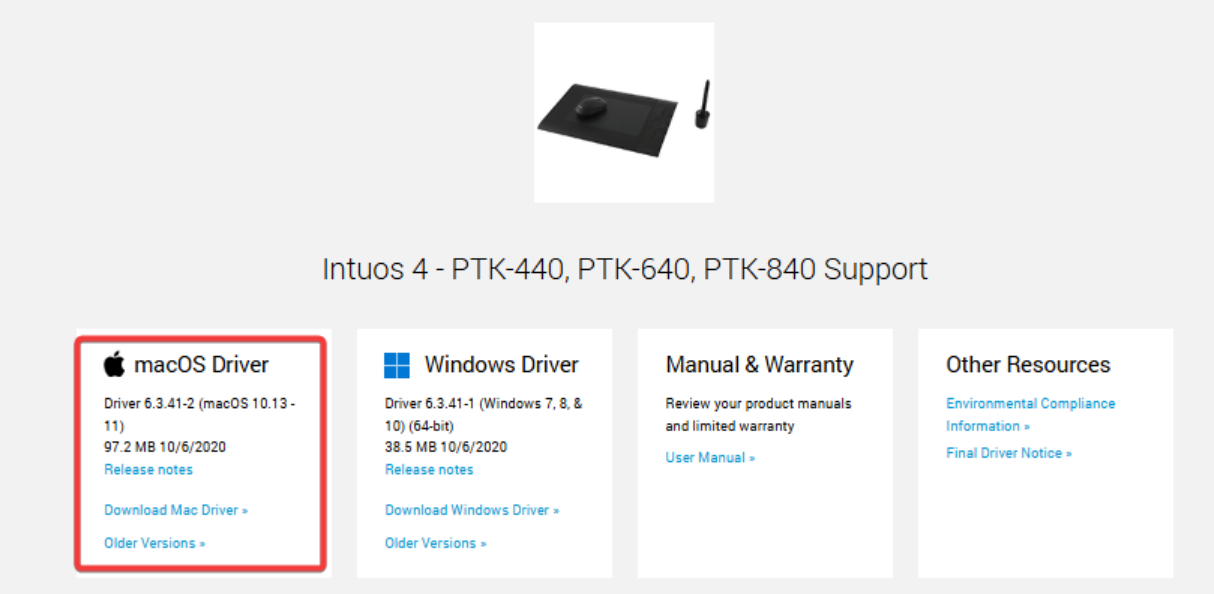
NOTE: This driver version might not install in Sequoia since when it was released, Sequoia was not out yet. If you have issues installing, then unfortuantely there is no other more recent compatible driver with your Intuos 4
If you installed the driver and the tablet is still not detected, then is probably an issue with the USB port.
0 -
I got it to work. I had to enable Wacom in the Login Items under General and then restart.
1 -

I have an Intuos PTK-440 on a Mac OS 15.3.1. Ever since I upgraded to Sequoia, everytime I logged in to the computer, I would get two messages to allow my Wacom tablet to connect. I did and it worked fine, but I found that annoying, so I downloaded the latest driver, and now my device is not visible to the driver. I see that Joao keeps recommending to get new cables, to check connections, to turn in the Login Items options, the accessibility options, etc. I followed all the instructions on the support page. My tablet IS INDEED still working, it is connected, the light is on, and the pen works, But it is moving slow, and I would like to customize my settings, but since the device is not recognized by the new Wacom Center I am not able to customize. As I mentioned everything was working fine until I downloaded the new Wacom Center.
0 -
You have an older model which is no longer supported by the latest driver.
Please uninstall and install the last available driver for your Intuos 4:
https://www.wacom.com/en-de/support/product-support/drivers
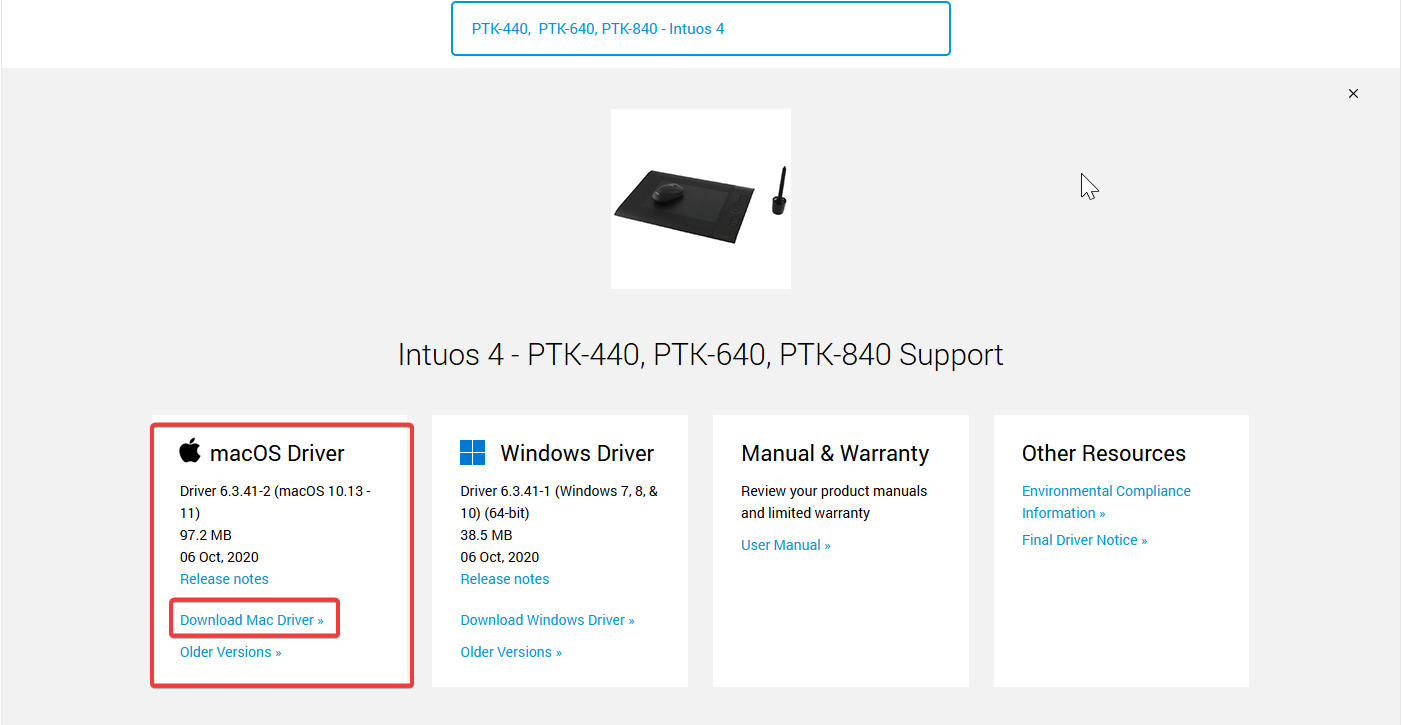
Please note that the message you are getting is not Wacom related but OS related. It is also strange that you get the prompts every time since this should be required once.
0
Please sign in to leave a comment.
Commentaires
8 commentaires