Unwanted Display panel in new driver?

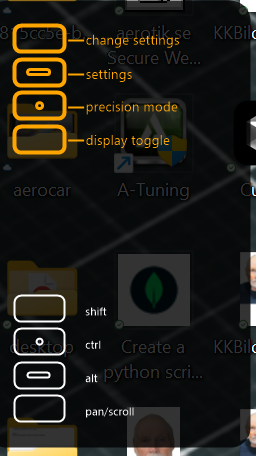
This panel is showing on my desktop and I can't turn it off since update to 6.4.11-1 on my Wacom Intous Pro.
I think it must be the "Express keys". It feels invasive and I can't find any setting to inactivate it.
I really do not appreciate unwanted apps and stuff showing up without any prompt or easy way to get rid of it.
Please help! :-)
0
-

Hi Hasse Hellstrom,
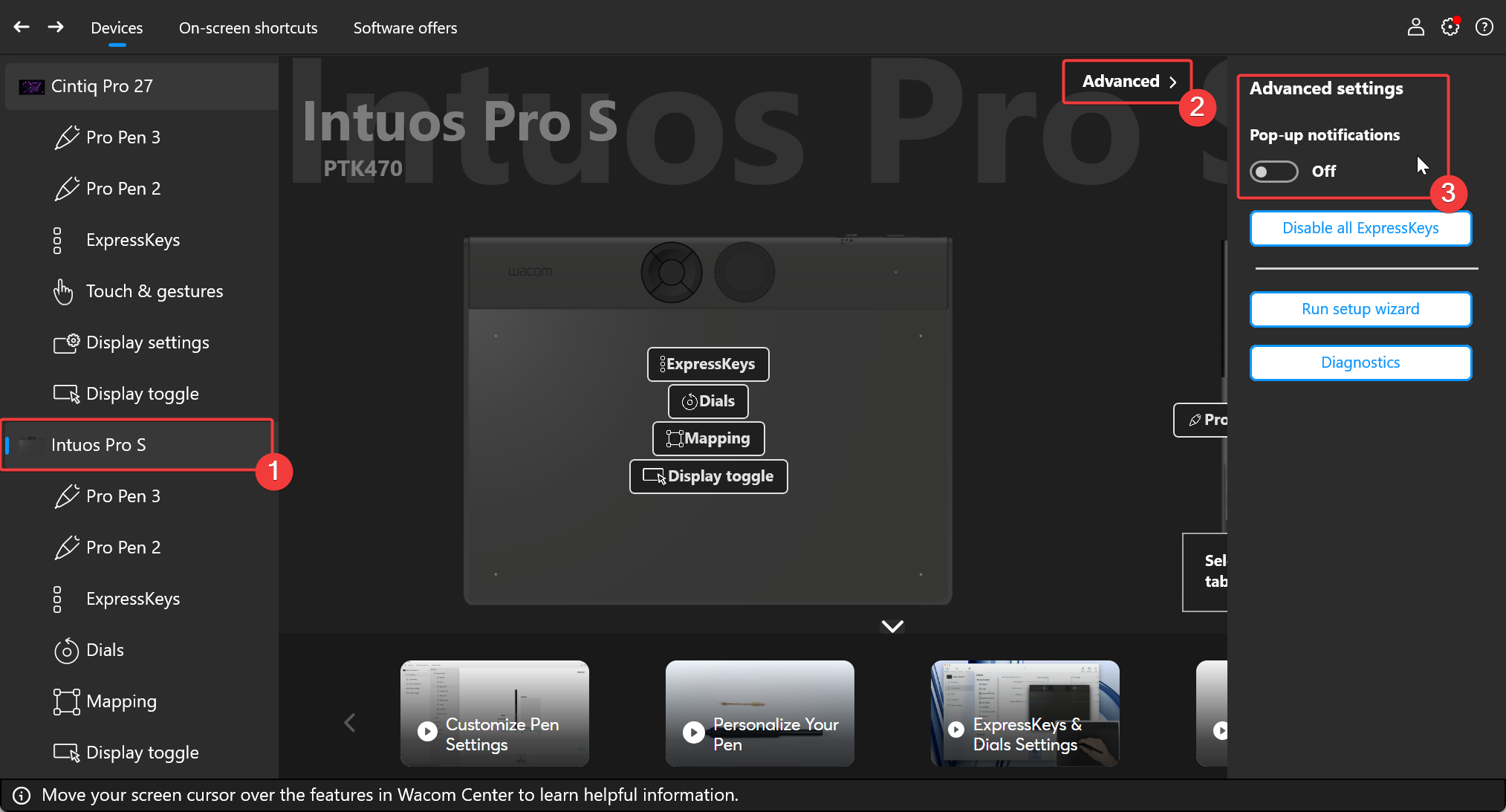
You can turn this OFF by switching the Pop-up notifications OFF:
 0
0 -
Thank you!
Yes, I did figure it out eventually, but I had to restart the Wacom Professional Service, as the choices in the left column were limited and also unresponsive. After restart I managed to turn the tools off.
//Hasse
0
Please sign in to leave a comment.
Commentaires
2 commentaires