Pro M and ProPen 3

I've just replaced my trusty Intuous Pro M (PTH651) with the 2025 version (PTK670) as the older model is no longer supported by release 6.4.11. Not a happy bunny. I notice other people have had a few problems, with me it's hte erratic nature of the scroll option (using a dial) that is bugging me.
I'm on a Win11 desktop and use Lightroom Classic (LrC) and Firefox every day. The browser's behaviour is erratic in that I can scroll as expected in some pages (tabs), but not in others. This behaviour sometimes reverses! With LrC, so many things are not working as expected, i.e. as they used to, that it's difficult to know where to start.
I have disabled Windows Ink (and tried enabling/disabalng it again to no avail), restarted teh driver and rebotted the PC. I have heard that one of the older drivers (6.4.5) is more stable, but this is no longer accessible on the Wacom site.
Can anyone help?
-

Hi Martin Henderson,
Could you provide more details about what your expectations are and what actually happens? Is the issue really just the behaviour with the dials?
Please note you can adjust how they work using the slider:
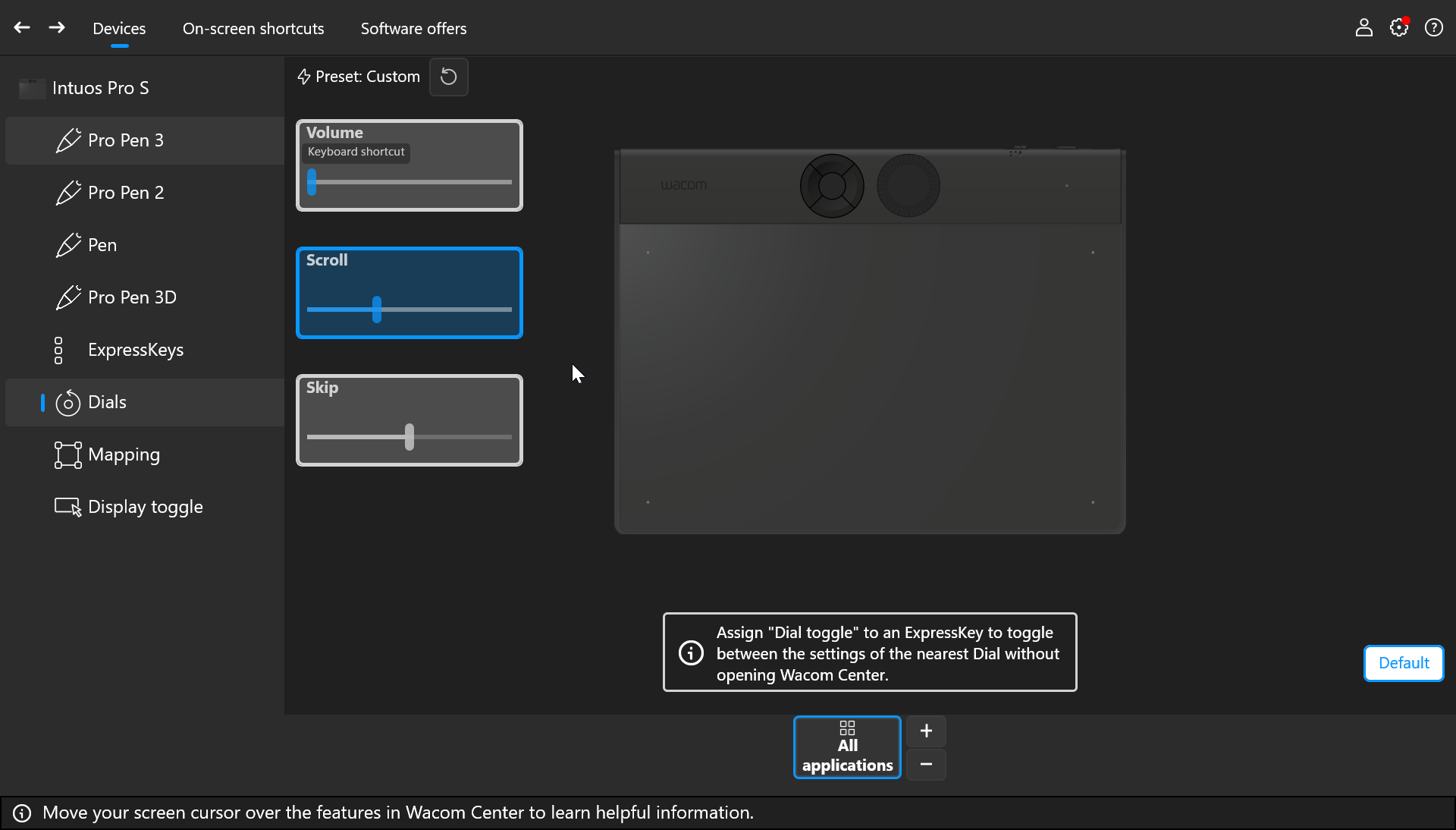
If they work in a way with on page and differently with another page then the might not be a driver problem as the settings are the same regardless of the browser or site you are seeing.
As for Lightroom, have you checked with Adobe? There are many reports of Lightroom not behaving as expected with scroll functions. Perhaps you can also adjust this with the sliders in the Wacom Center.
0 -
Hi João,
Thanks for getting in touch. I emailed support@wacom.com with a follow-up to this dial problem earlier today. Here's a copy of the text:
"Over the weekend I think I’ve been able to sort out most of the difficulties I was having using the new tablet/pen. Many of them can be put down to “dozy user syndrome”…
However, one anomaly I’m still noticing when using LrC is that after creating a new mask, e.g. a brush, I have to change focus away from LrC before the mask actually appears on my photo. I’ve tried this so often now that I’m confident it’s not just a coincidence. With a linear gradient, I have to change focus before the crosshairs cursor appears. Likewise, when I delete a mask, the mask remains in the Mask panel until I – you guessed it – change focus.
I tried creating application-specific settings for LrC but the behaviour persists. I’ve now removed all application-specific settings and am using Wacom in default mode.Can anyone suggest what might be causing this behaviour and what I can try to fix the problem?"
The only remaining problem I have with the new tablet/pen is the enforced "change focus" requirement. Is anyone else reporting this or similar behaviour?
Regards
Martin Henderson0 -
Hi again,
I have another observation about this problem, specifically regarding LrC.
If I use my mouse to carry out any operations in LrC, it responds instantaneously and as expected. Furthermore, I never had any problem using my just-retired (sadly) version of your earlier Intuos Pro M model (PTH651). To me (as a layman) this points unequivocally to a Wacom driver issue. I'm currently on 6.4.11_1. and using LrC 14.5.1. I'll upgrade now to 15.0.1 and see if this "change focus" behaviour persists.
Watch this space and thanks for your support.0 -
I've just upgraded to LrC 15.0.1. and unfortunately the "change focus" requirement when masking is still present.
0 -
Hi Martin Henderson,
Thanks for coming back to me.
Unfortunately Lightroom seems to always be a little tricky. I have seen other users where other tools like zoom get stuck as well. I don't know why but seems Lightroom always has issues capturing pen events like click down and up. Can you please check with Adobe if there's any recommendation they can offer?
0
Please sign in to leave a comment.
Commentaires
5 commentaires