Can't install wacom Pro m on macOS 13

I just got my wacom and tried to install it. I'm in a loop where it keeps asking me to go preferences > Security Privacy> Privacy and unlock anything in Accessibility for wacom. Of course there is no Preferences > Security Privacy > Privacy it's actually Preferences> Privacy Security> Accessibilty. I've unlocked the wacom.com in this section and still get the security warning and the software will not install.
Is there any way to install the software so that the wacom will work?
Thank you.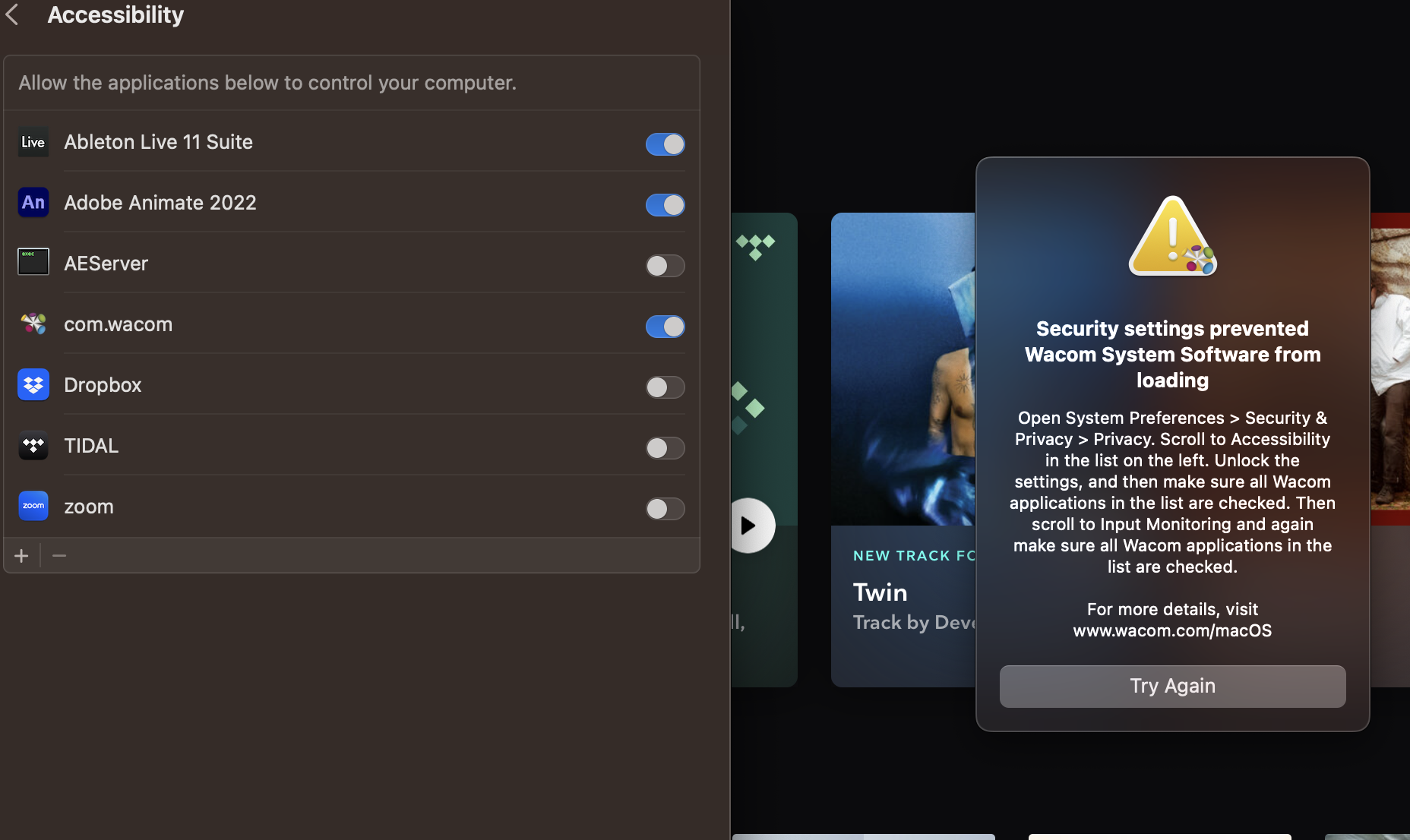
-
Официальный комментарий

Hi Noah,
You will also need to enable the Wacom Tablet item under Input Monitoring.
If this is your first time installing the driver in your system, it might also help to restart the Mac after setting up these preferences.
Please see our full guide here: https://support.wacom.com/hc/en-us/articles/9753655984663
-
Under input monitering where?
0 -
Thank you!
I watched the rest of the video and found the input monitoring. It would be WAY EASIER if those things were listed as steps. The security message tells you to do one thing explicitly but leaves out the other steps which adds to the confusion. Just list the steps.
0 -
Normally, you should see 2 prompts: one for the Accessibility items, and one for Input Monitoring.
I know... they are easy to miss and the instructions could be a lot better but we are somewhat limited on what we can do as a prompt. I will send your feedback to the team regardless.
0
Please sign in to leave a comment.
Комментарии
Комментариев: 4