Intuos Pro Large hangs until ExpressKey is pressed

I use an Intuos Pro (PTH-860) at work, and have no particular issues with it.
Last week, I bought myself the same model for home, so that I would have a tablet that lived at each location, with the Work Tablet being used exclusively by my work laptop, and the Home Tablet switching between my work laptop and my home laptop. I noticed that this new one, Home Tablet, sometimes freezes, not registering any movement or mouse clicks (either by tapping or using the pen buttons), until I press one of the ExpressKeys (which are disabled). Then it works again like nothing happened. I think it does come back on its own after a period of time, but I'm usually too impatient to wait.
At first I assumed it was a driver issue with my personal laptop, but it displays the exact same behaviour with my work laptop (while the Work Tablet works fine). I can't test the Work Tablet with my personal laptop. I could switch the pens.
Interestingly, the Work Tablet does not come up in the Wacom Center software, while the Home Tablet does, but that could have more to do with different internet connections.
Both laptops are running Win10. Tablets are connected by cable only, never bluetooth. Driver version is 6.4.2-3.
Any suggestions, or should I get the tablet replaced under warranty? Thanks!
-

Hi Leia Graf,
When the freeze happens, can you open the Wacom Center and do a Driver check from the options?
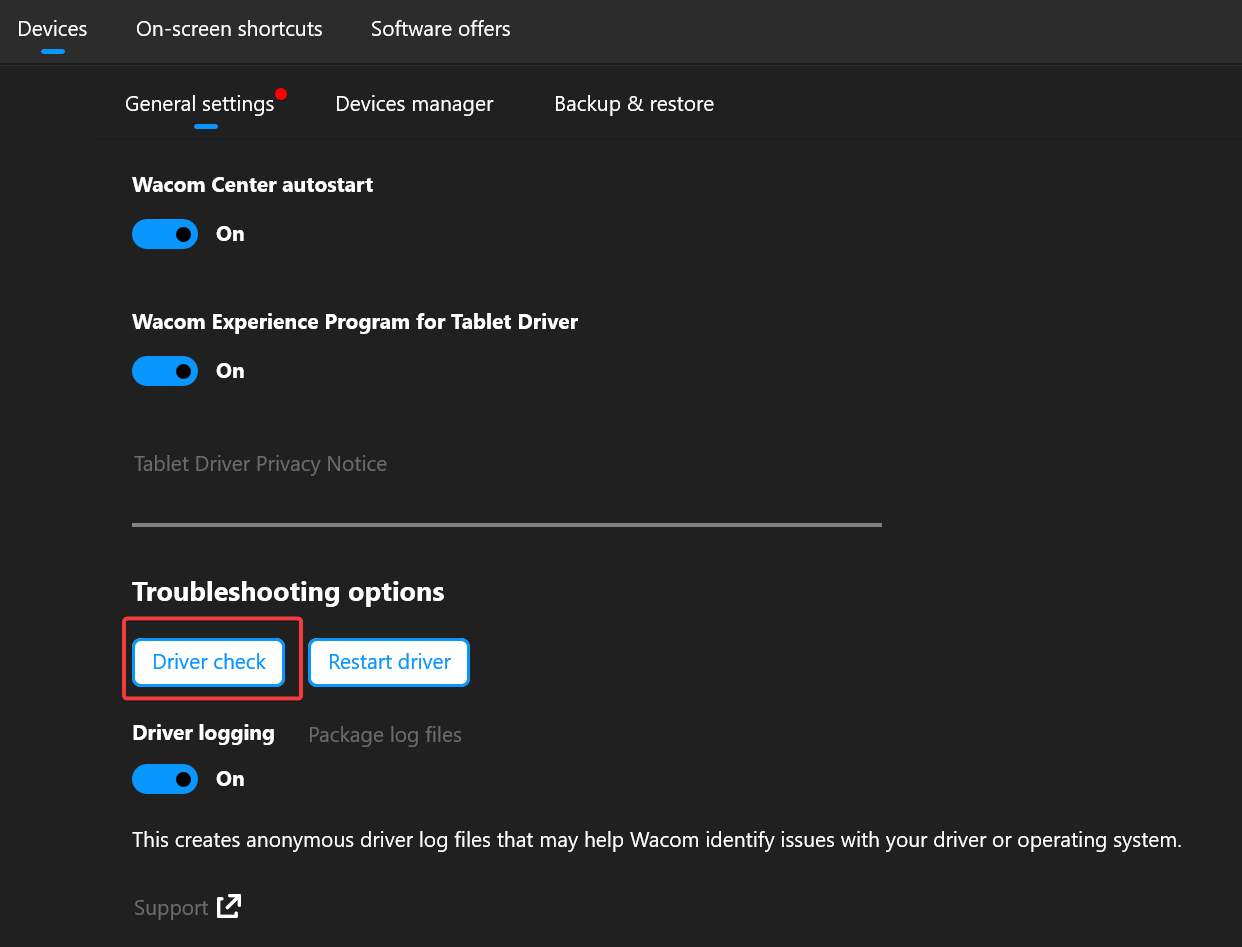
Then restart the driver and see if that helps.
If the issue persists, please contact our support team directly: https://support.wacom.com/hc/en-us/articles/4402518273943-How-do-I-contact-Wacom-Support-
0
Please sign in to leave a comment.
評論
1 條評論