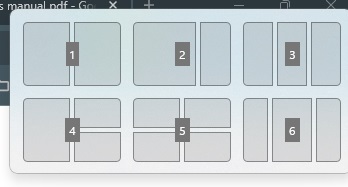
How do you remove this panel from showing up?

I use the Intuos Pro M - PTH-660
I use it a lot as a touch tablet to replace my mouse.
Every time, I go to the top right of the screen, it shows the above set of panels. I don't like that. How do I disable it?
0
-
正式評論

That is the Snap Layout feature form Windows which will appear when you hover the cursor over the maximize button. It can also be triggered by pressing "Win + Z".
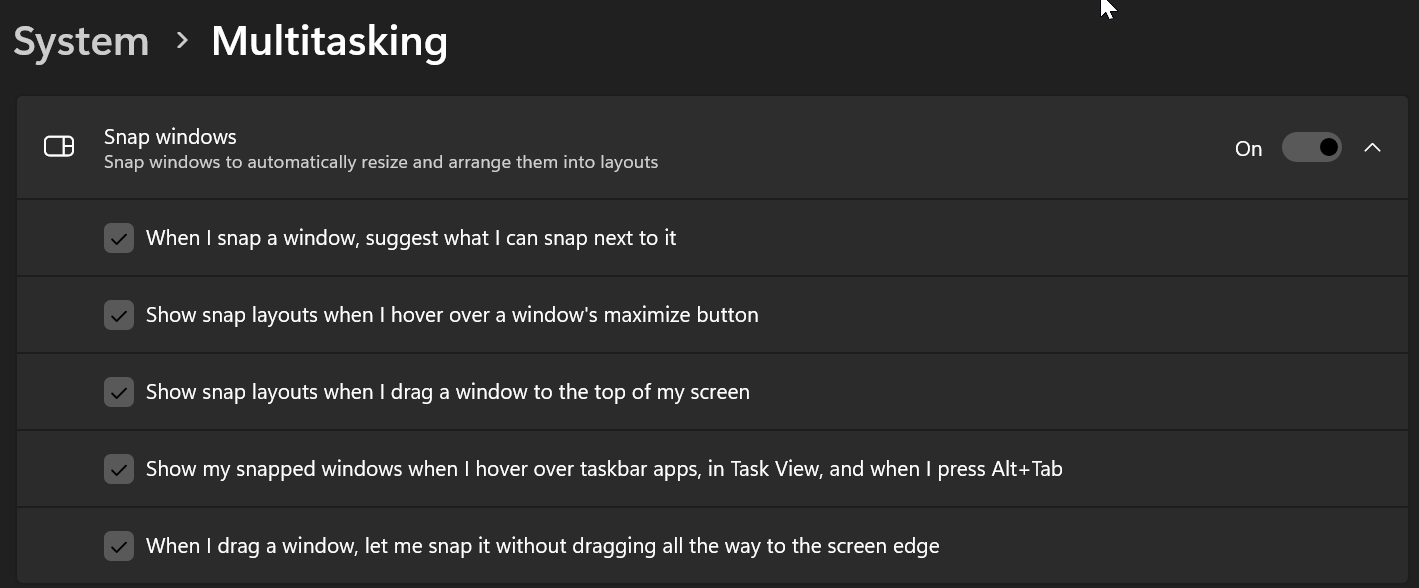
You can disable this or change the settings on the Multitasking section of the Windows system settings.
Please sign in to leave a comment.
評論
1 條評論