Wacom Center unable to synchronize on MacOS 26 Taho

I have some work reasons that I have to use MacOS 26 thus reverting back to older OS is not an option for me.
I have tried all of the following:
Permissions related issues, restarting my MacBook Pro, non worked.
Contacted the customer support, they told me to wait for new driver or revert back to older OS.
Uninstalled and reinstalled multiple times with restarting my MacBook Pro, non worked
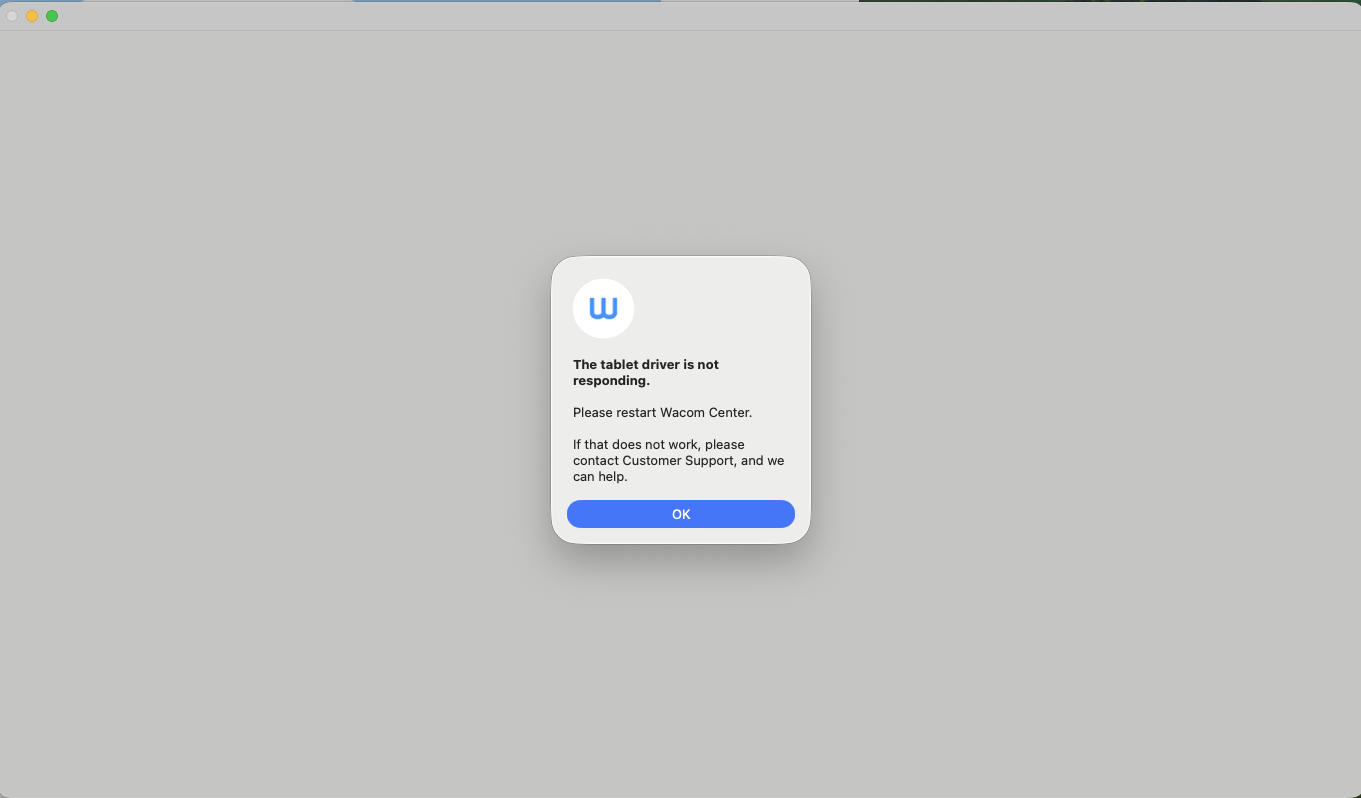
Any helps on this? 😥
-

Hi Lucas Yang,
There is no official Wacom driver that support Mac OS Tahoe, but you can install driver 6.4.9. According to other users, it is working although not everything will be perfect.
Driver 6.4.9: https://cdn.wacom.com/u/productsupport/drivers/mac/professional/WacomTablet_6.4.9-2.dmg
An official driver compatible with Tahoe will be released very soon.
2 -

Dear Wacom - didn't you have the beta version of the OS to play with?
Until you fix this... I am stuck without my work tool.
And I am NOT happy, to say it mildly...0 -
ok - installed the version 6.4.9 – and it's working!!!
thank you for the fix... saved my day.0 -

Yes, I use the 6.4.9 version on Tahoe
0 -
The new driver version that supports Tahoe is available here: https://www.wacom.com/en-de/support/product-support/drivers
0 -

Thanks for the update. This is very helpful!!
0 -
 I own an Intuos Pro PTH-640 and a Cintiq 27QHDT DTH-2700.
It’s incredibly frustrating that the new 6.4.11-1 driver (Tahoe-compatible) drops support for my DTH-2700, which still works flawlessly. To make matters worse, my Intuos Pro PTH-640 can’t even benefit from the new driver since both devices are connected to the same Mac.This feels like a poorly timed decision, especially since macOS 26 Tahoe just released.
I really hope Wacom brings back compatibility for older models in an upcoming driver release !!!
( driver 6.4.9. According to other users, it is working although not everything will be perfect. ..)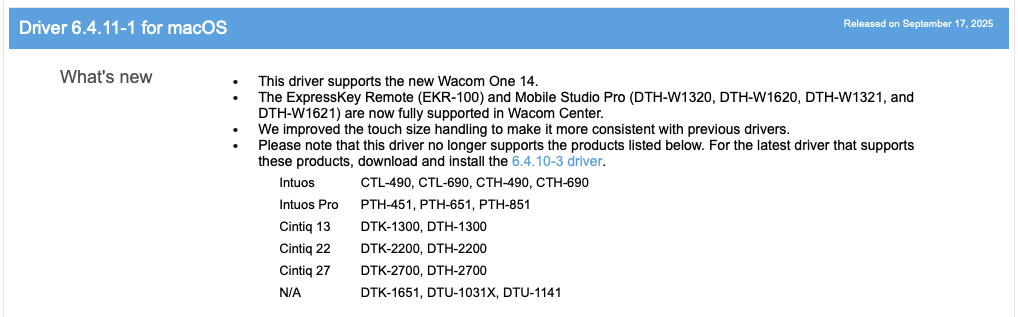 0
0
Please sign in to leave a comment.
評論
7 條評論