MacOS26 & Cintiq 27QHD

I updated to MacOS 26 and the latest drivers. Then I found out Cintiq 27QHD is not currently supported. Also found out I could try an older driver. So I need to uninstall the current driver.
Every guide I have found states I should start Wacom Tablet Utility, "Uninstall" and then restart MacOS.
This option is not available when starting the utility, probably because Macos does not detect my Cintiq. So, before tumbling into the weeds; please clarify if this step is actually needed. If it is needed, and the option to uninstall is not present, how does one proceed remove the Wacom driver?
Also, please clarify if Wacom is working on being able use Cintiq 27QHD
with MacOS 26.
-

Hi Ola Nordmann,
Are you sure you are using the correct Wacom Tablet Utility? There definitely is an option there to uninstall the driver:
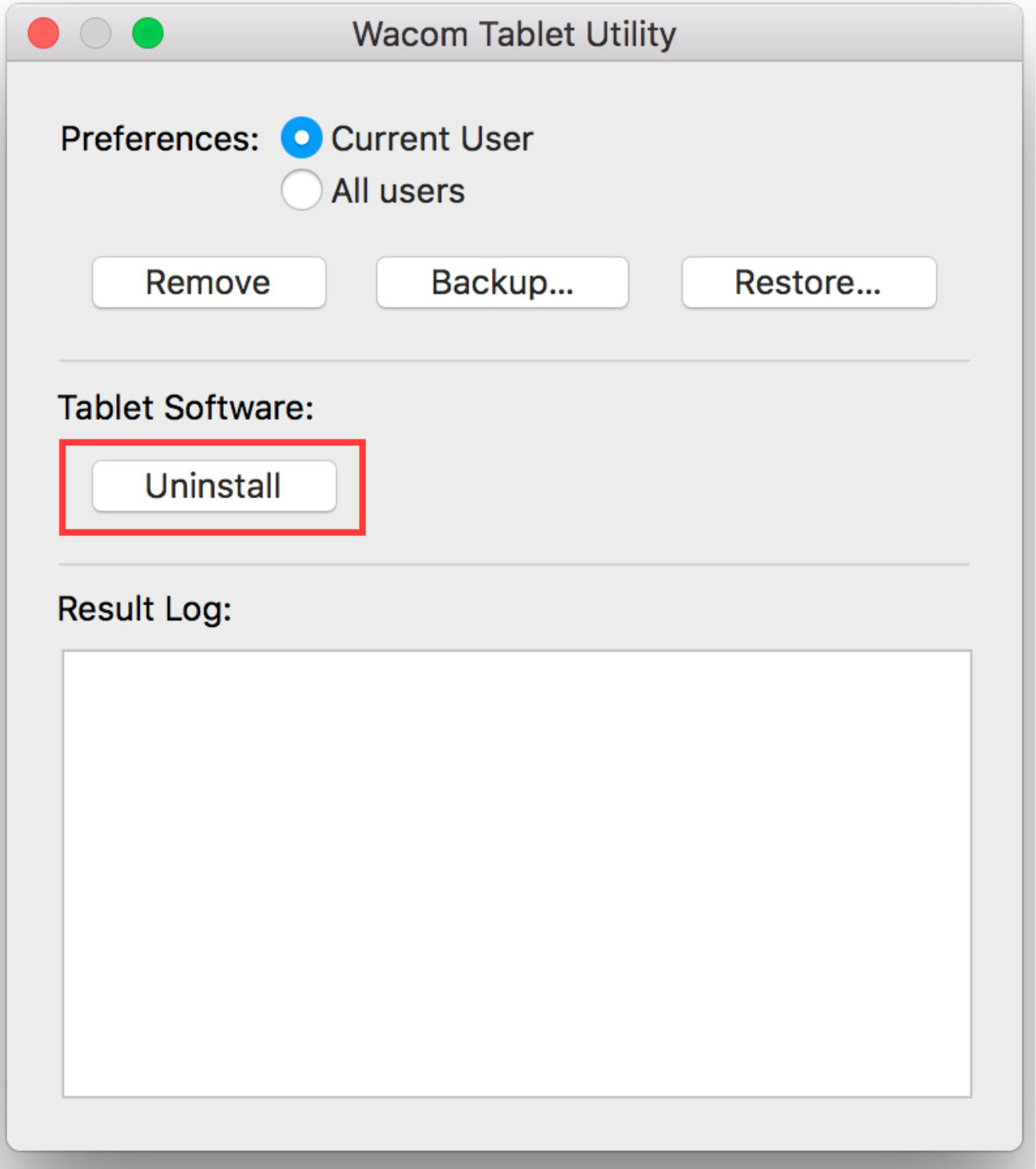
This will be available regardless if there is a tablet connected and detected by the driver or not.
This will be a required step since you cannot install an older driver when a more recent version is installed.
Also, there are no plans to get support for the Cintiq 27QHD on future driver updates.
Please see: https://support.wacom.com/hc/en-us/articles/34151946332311-My-Wacom-Device-is-No-Longer-Supported-What-Now
0 -
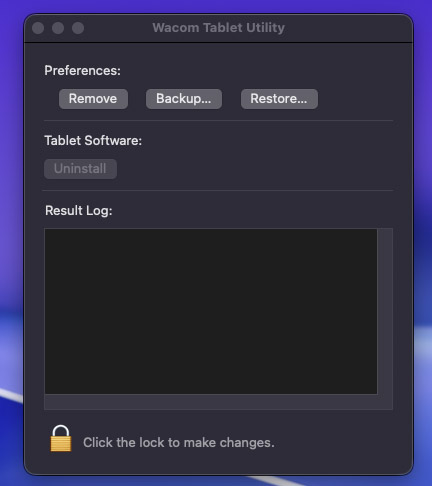
I only have one version of Wacom Tablet Utility installed. The uninstall button is greyed out.
 0
0 -
Hi Ola Nordmann,
You need to click the lock and enter your password.
0 -

Ola Nordmann Could you get an older driver version to work? I am not able to do so. Starting the older version runs into a time out error while trying to sync with the device.
0
Please sign in to leave a comment.
評論
4 條評論