Recent Microsoft Windows updates have made large changes in the settings for Windows Ink. These changes affect all Pen and Touch devices, not just Wacom Tablets. Users have reported issues with these updates causing their pen not to act as expected in the application they are using. Some examples include scrolling instead of drawing in Photoshop and not releasing a selection with the pen in Outlook or a web browser like Firefox and Chrome.
This issue has been fixed with the release of the latest Windows update to download and install this update, go to Settings > Update & Security > Windows Update and select Check online for updates from Microsoft
Windows updated 1903 has added new Windows ink settings to resolve this issue. Follow the steps below:
- Open the Windows Start menu
- Type "pen settings" and open the Windows pen settings.
- Check-in "let me use my pen as a mouse in some desktop apps."
Update.Note: Current versions of Adobe Photoshop uses Windows Ink for Pen Pressure.
Current versions of Adobe Photoshop by default needs Windows Ink turned on for Pen Pressure to work correctly.
If you are using an older version of Windows, or if you continue to see lag or scrolling follow the steps below.
However, Adobe offers steps to manually change these settings to allow for customers to revert back to not using Windows Ink. These steps will need to be completed before following the steps below. Please see Adobe's article here, and refer to the section describing other tablets: https://helpx.adobe.com/photoshop/kb/tablet-support-faq-photoshop.html
To Turn Windows Ink off, follow the steps below.
- Open the Wacom Tablet Properties inside the Wacom Tablet folder in your Windows Start Menu
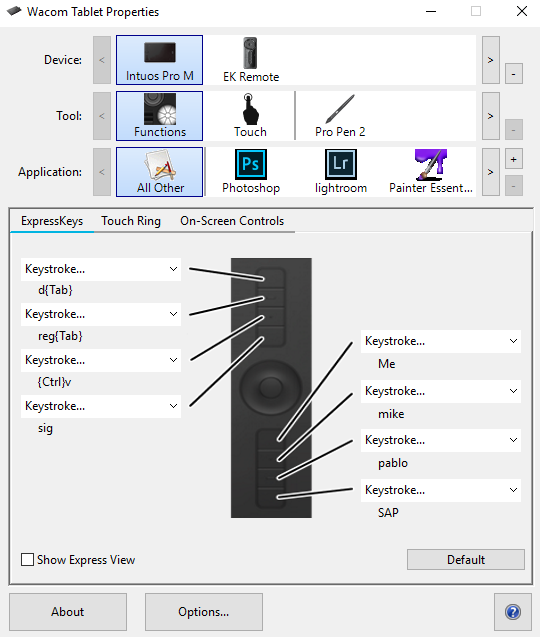
- Select the Pen in the tool section

- Select the Mapping tab under this tool.
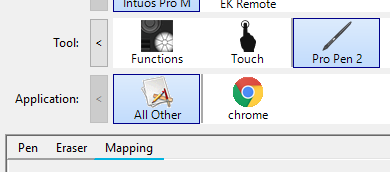
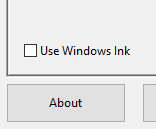
- Uncheck the check box for Windows Ink. This will turn Windows Ink off for the application selected in the Application section. In the example above All other is selected, this change will affect all applications other than Chrome, which will have its own settings.