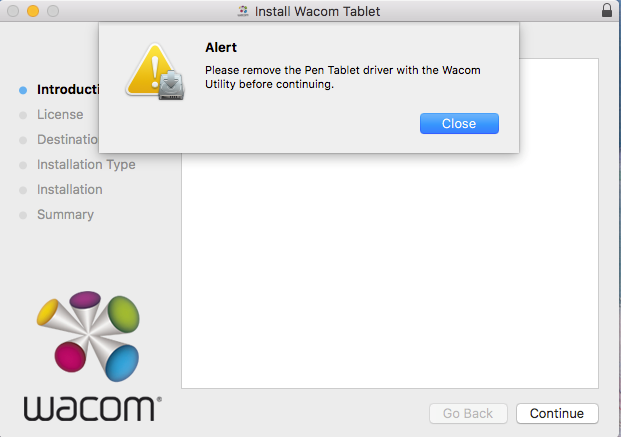
This message indicates that an older Bamboo or Graphire pen tablet driver is installed. The older driver cannot be installed on the computer at the same time as the current Wacom driver. To resolve the issue, please remove the older driver from the computer by following the steps below.
NOTE:
A restart will be required after installing the driver, please ensure you have closed and saved all your work before following these instructions. Make sure you know the username and password of an administrative user account of your computer.
Mac OS:
Disconnect the tablet from the computer.
In the Finder, open the Applications. Look for a folder named Wacom, Bamboo or Pen Tablet.
In each of these folders open the Utility.
Under "Tablet Software", click remove. OS X may ask you for an administrative user account credentials to complete this.
Once the software has been removed, restart the computer.
Now you will be able to download and install the latest driver again found here: http://www.wacom.com/support/product-support/drivers
Windows:
Disconnect the tablet from the computer
Press the Start (Windows) Key on your keyboard to navigate to the main Start menu.
Now Press ‘Start’ + X on your keyboard: this will bring up a menu with your control options. Select Programs and Features at the top of the list.
Uninstall the listing here for Bamboo or Wacom and then restart the computer
After restarting, you will be able to download and install the latest driver again found here: http://www.wacom.com/support/product-support/drivers