Traditional input devices like a standard PC mouse offer only relative positioning:
- When the mouse reaches the edge of the mouse pad, the on-screen cursor needn′t be at the edge of your monitor screen as well.
But Wacom tablets operate with absolute positioning:
- The entire active area of your tablet represents the entire monitor screen – place the pen in the lower left-hand corner of your tablet and the on-screen pointer will move to the lower left-hand corner of your monitor. A video example can be found here.
Wacom tablets, however, offer relative positioning as well. To activate relative positioning, you can set the pen mode to "Mouse":
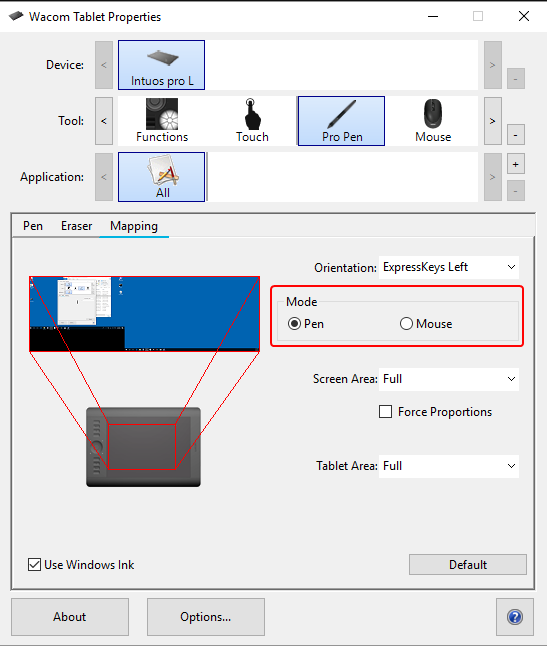
- Pen Mode: Absolute positioning
- Mouse Mode: Relative positioning
Also, because of a very low frequency electromagnetic field under the active area of the tablet the pen doesn′t need to be dragged like a mouse but hovers over the tablet surface. This means, the moment you touch the active area with your pen tip you′re already performing a left mouse click.