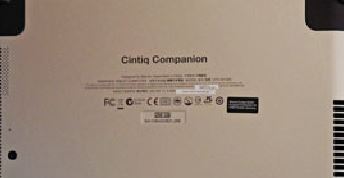
Serial Numbers and Model Numbers are found in different locations depending on which device you have. Below is a guide to find the location for your product.
- Locating the Model and Serial number via the Wacom Center
- Locating the Model and Serial number on the device
Locating the Model and Serial number via the Wacom Center
If your device is connected to your computer, you can find the model number and serial number from the Wacom Center. Click Support and "Diagnostic Data"
The Serial Number is a string of 11 numbers and letters, for example 1BB00B1001356
Legacy products: the serial number is the not shown here, only on the device or on the box. It is a string of 10 numbers and letters, for example 1BBH001356
Pen Tablets
Current Wacom Intuos and Wacom Intuos Pro
- The model number is next to the text reading “Model” (Format: CTL-### and PTH-### respectively).
- The serial number is located further down, next to the text reading "Serial Number".
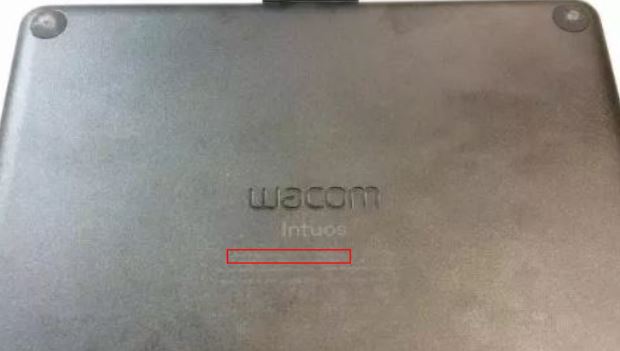
One by Wacom
- The model and serial numbers are located in the text on the label on the back of the tablet as indicated here. The model number will be CTL-472 or CTL-672
- Previous-generation green One by Wacom tablets: see "older Pen Tablets" below.
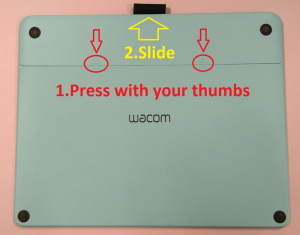
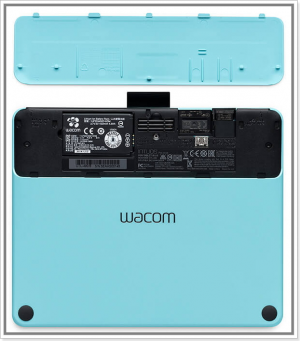
Intuos (2015)
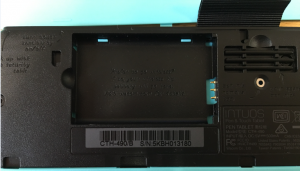
- The cover on the bottom of the tablet must be removed. Once removed you will see where the optional wireless kit can be installed, the spare nibs, as well as the model number and the serial number, beneath the barcode:
Older Pen Tablets
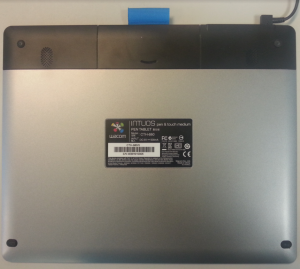
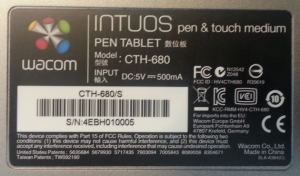
These have a barcode on the back, including Intuos Pro (2013), Intuos 5, Intuos 4, Intuos (2013), green One by Wacom and Bamboo tablets
- the model number is listed next to the text reading "Model."
- The serial number is located beneath the barcode.
Pen Displays
Wacom One
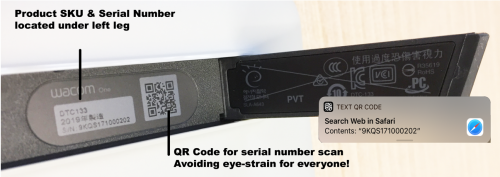
- when facing the rear of the display, the model number and serial number will be located beneath the left-hand support leg. The model number is next to the text reading "Model" and the serial number is next to the text reading "S/N". Alternatively you can scan the QR code:
Wacom Cintiq Pro 24 and Wacom Cintiq Pro 32
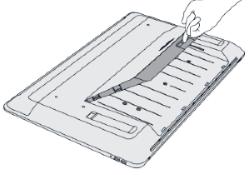
- When facing the rear of the display, the model number and serial number will be located beneath the removable cover, on the center left side. A highlighted white label will first list the model number and then the serial number will follow after "S/N"
(The model number will be DTK-2420, DTH-2420, or DTH-3220)
Wacom Cintiq Pro 16 (2021)
- when facing the rear of the display, the model number and serial number will be located on the back of the right-hand support leg. The model number is next to the text reading "Model" and the serial number is above the barcode:
- The model number will be DTH167K
Wacom Cintiq Pro 13 and Wacom Cintiq Pro 16 (2016)
- when facing the rear of the display, the model number and serial number will be located beneath the left-hand support leg. The model number is next to the text reading "Model" and the serial number is next to the text reading "S/N":
- The model number will be DTH-1320 or DTH-1620
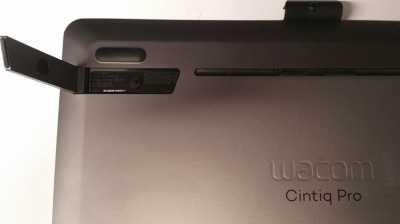
Wacom Cintiq 22
- the model number and serial number are on the inside of the cable compartment cover, similar to the Wacom Cintiq 16 below
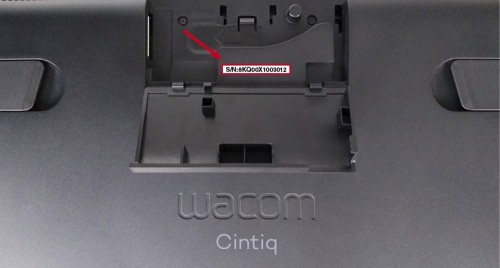
Wacom Cintiq 16
- the model number is on the back of the right-hand leg when facing the back of the tablet. The serial number is on a label inside the cable compartment:
- The model number will be DTK-1660 or DTK-2260 respectively
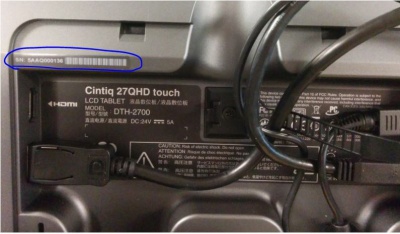
Cintiq 27QHD
- the panel in the center of the back of the display, covering display connections, must be removed to view the model number and serial number. The model number is next to the text reading “Model” and the serial number next to the text reading "S/N":
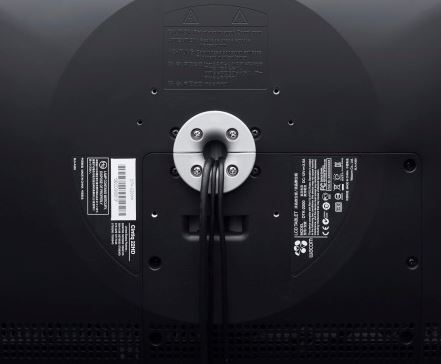
Cintiq 24HD, Cintiq22HD, and Cintiq 13HD
- the model number and serial number are located on the back of the device, above and below the barcode. The display may need to be rotated or removed from the stand to access:
Pen Computers
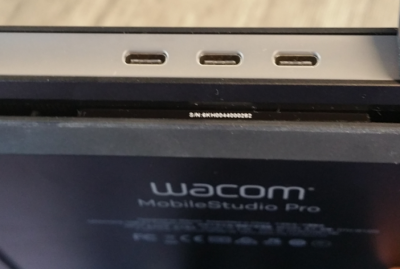
Wacom MobileStudio Pro
- the serial number is located beneath the center USB-C port on the side of the device, between the air vent. The model number is on the back of the device, below the Wacom name:
- The model number will be DTH-W1320, DTH-W1620, DTHW1321 or DTHW1621
Cintiq Companion family
- the model is printed in the text on the back of the device. The serial number is on the drive capacity (GB) sticker below the text.