PTK870 driver issues in Photoshop

6.4.12-3 driver suffers from bad jitters in Photoshop. Diagonal strokes look like ladders. Straight lines jump up and down for horizontal, and left and right for vertical. Jump is full 2 pixels, 90 degrees from the stroke direction.
6.4.10-3 driver works ok, except for one thing. When I use the Photoshop move tool with a mouse, pressure sensitivity for a brush gets deactivated and won't turn on until I toggle Windows Ink on and off in Wacom Center. Very annoying.
Is there any way to fix any of those issues? What driver version is stable?
-
Driver 6.4.9-2 is the only one working properly. No jitters, no crashes if I touch the mouse.
The newest driver is by far the worst. It actually made the work impossible in Photoshop - the quality of brush strokes was so bad that the artwork would be inadmissible.
0 -

Hi,
That is really strange. I have not seen other customers with such issues with driver 6.4.12 or 6.4.10.
What you mention about pressure not working when you use our mouse and needing to turn Windows Ink OFF and ON again also sounds strange. Perhaps there is something going on with the Windows Ink API that we are not aware.I know many users prefer using Wintab on Windows so that might be why we have not heard about this before. Do you maybe have some saved screenshots of your strokes when you where using the other driver versions so we can see what you saw and see if we can reproduce?
Can you also confirm your Windows and Ps version?Thanks in advance.
0 -
Hello,
Let's figure this out.
I googled Wintab. Is it a legacy version of Windows Ink? How do I deploy Wintab?
BTW, I already did the PSUserConfig, UseSystemStylus 0 fix, and it did nothing.
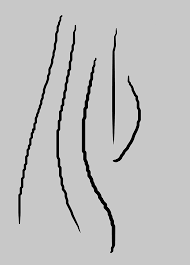
As for brush strokes, the disappearing pen pressure issue makes brush strokes look like this (it both loses pressure sensitivity and becomes angular) (Pic 1)
The newest drivers makes brush strokes look like this (The ladder issue) (Pic 2)
Even the most stable old driver suffers from occasional random crashes (Pic 1).
Windows: Version 10.0.26200 Build 26200
Photoshop: 27.3.0 20260122.r.13 2d403ec x64 (final, Release)
The issues appear in the older version of Photoshop, too (the last 26 version).

 0
0 -
Hi Mars Rover,
Those lines seem more like a stroke rendering issue on Ps side. Have you updated your graphics card recently?
I would recommend checking this page to see if there are any improvements:
https://helpx.adobe.com/photoshop/kb/optimize-photoshop-cc-performance.html
By the way, the pen tablet data through Windows Ink or Wintab is the same (same coordinates, pressure level, etc.) what can change is how applications process (or not) the data from each API. This is not something we control directly.If the problem persists, we will need to collect some logs - https://support.wacom.com/hc/en-us/articles/10010268158103-I-want-to-report-a-driver-bug-How-do-I-collect-Wacom-driver-logs
0 -
Find the log file here.
https://1drv.ms/u/c/c2f34229e2487006/IQAxJXG4VpRzSJthwbfSXA4WAUHceUpmpRj-rQEE-rW0hR8?e=K9YaZm
I solved the ladder issue after a clean uninstallation/ reinstallation of wacom drivers. I'm now on the latest drives.
The loss of pressure sensitivity issue persists, but it is now random, which is more frustrating than when it was predictable. Also, I must toggle the Windows Ink switch with the mouse for the fix to work. Toggling it with a stylus does nothing.
It looks like the driver is having trouble recognizing the switch between mouse and stylus. Sometimes it gets stuck on mouse input even though I'm using a stylus.
0 -
Hi Mars Rover,
Thanks for the update and the logs.So to be clear, the current trigger for pressure loss is currently unclear and not related with using the move tool with the mouse correct?
Does it only happen after using a mouse, or even when using the pen? Could you try to see if you spot anything in the workflow that would trigger this? Perhaps using the mouse with a modifier hey?
In the past I have seen some issues where click events are not registered as expected and following click events also don't process as intended.When this happens in Ps, before doing your Windows Ink workaround, could you maybe try a different drawing app with pressure sensitive capacities (like Krita for example) and see if that app also struggles to capture the pressure data. This will help us understand if the issue is connected to Windows Ink / Wacom Driver or just Photoshop.
0 -
Hello,
It is still related to occasional mouse use. Before clean driver re-install, it consistently came up after I used a move tool with a mouse. Now it's random, but it always happens after I use a mouse.
I don't usually use modifiers with a mouse. I only use a mouse when I need to quickly navigate a menu.
I noticed that when I use a mouse, pressure data is disabled (as it should), and when I switch to a stylus, it is re-enabled most of the time. However, sometimes it gets stuck in no-pressure mode, and no amount of stylus use will bring back pressure data - I have to toggle the Windows Ink switch. Not only the pressure is missing, but the strokes become angular, as I showed in the image above.
The same issue occurs in Krita: using the move tool with a mouse disables pressure sensitivity on the stylus. In Ps, it comes up every other time.
0 -
Hello Mars Rover,
Does this happen when you move the mouse cursor from another active app to Ps?
For example you are using your browser and click on Ps to make it the active app and work on it using the mouse.
There was a issue similar to what you are describing that was caused by making Ps the active App by using a mouse and then the first pen stroke would have no pressure but subsequent strokes would work as intended.0 -
Hello,
I have PS and Lighroom classic opened side by side. I switch back and forth between the two. The issue rarely happens if I stay in Ps the whole time. It appears frequently if I go from Ps to LrC and back. Also, the issue doesn't go away on its own after the first stroke. I have to switch Windows Ink on and off to fix it.
0
Please sign in to leave a comment.
Commentaires
9 commentaires