Hover and Click & Tap

I'm very sorry but don'y understand how it works Hover and Pen & Tap option.
I've got a One by Wacom (no screen) and iMac
Thank in advance
0
-
正式评论

I am not sure how else to explain but I will try. Hover click is the more dynamic option while Click & Tap provides more control and precision. You should try both option and see which ones works the best for you.
Hover click

- Make sure Right click is assigned to a pen button

-
Hover (old the pen tip over the tablet surface without touching it) the pen tip to an item that you can normally right click with your mouse.
Example: A shortcut in your desktop, a file in your file explorer, highlighted text in your interned browser or text editor, etc. -
Press the Pen button to which you assigned Right click without touching the tablet surface with the pen tip and you will see the expected action will occur (usually a context menu)
Example: Context menu after right clicking highlighted text in Google Chrome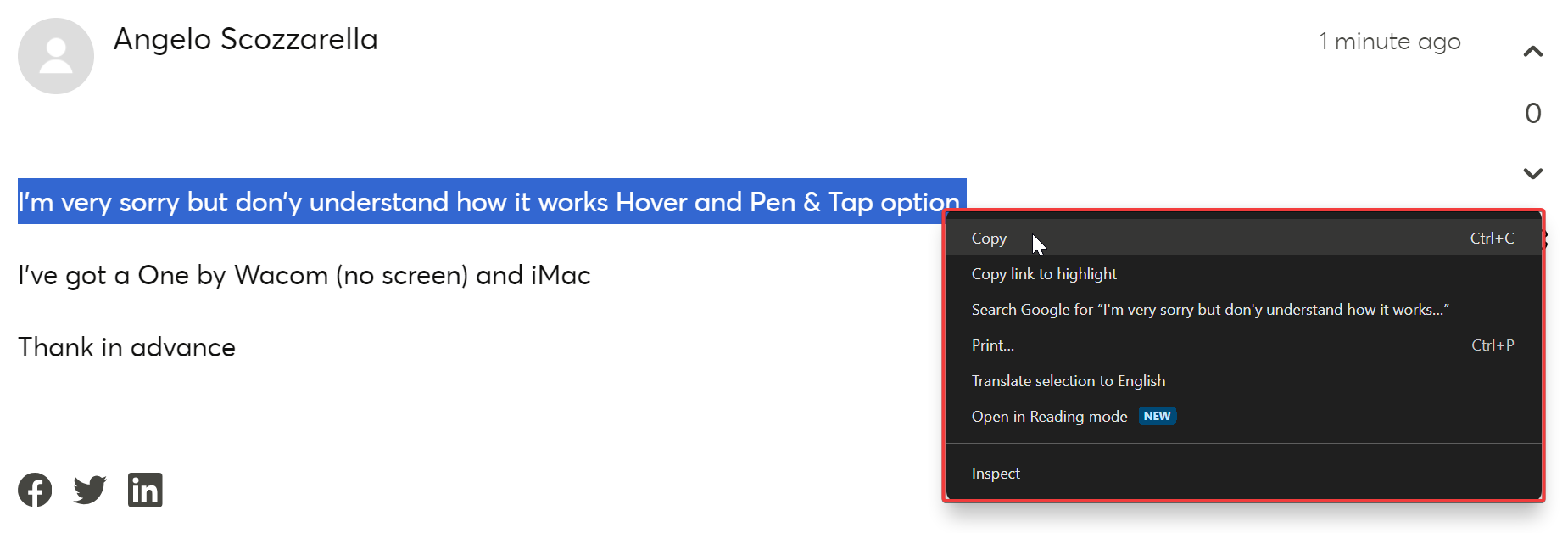
Click & tap
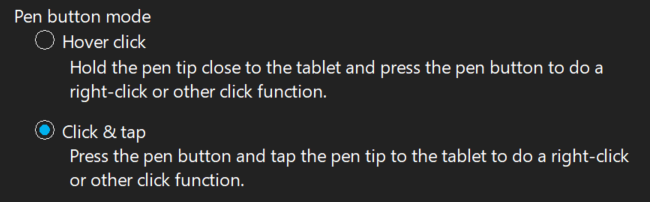
- Make sure Right click is assigned to a pen button
-
Hover (old the pen tip over the tablet surface without touching it) the pen tip to an item that you can normally right click with your mouse.
Example: A shortcut in your desktop, a file in your file explorer, highlighted text in your interned browser or text editor, etc. -
Press and hold the Pen button to which you assigned Right click and touch the tablet surface with the pen tip and you will see the expected action will occur (usually a context menu)
Example: Context menu after right clicking highlighted text in Google Chrome
- Make sure Right click is assigned to a pen button
-
Thank you very much, but the two explanations are the same. Hover and Hover
0 -
I'm very sorry. Now I understood the difference. Tap or without tap.
0 -
Angelo Scozzarella,
Glad to help.0
Please sign in to leave a comment.
评论
4 条评论