how to disable the dials on Intuos Pro 2025 model PTK670

Hi, I am trying to disable the dials on my Intuos Pro 3 tablet but I can't figure out how. There doesn't seem to be a way to set them all to "skip" from within the Wacom Center app, and I find out-of-date or conflicting advice online. My hands and clothing brush against these dials when and move things when I am trying to type, which I find very distracting. How so I disable the dials or set them to Skip. Thanks.
Zaffer
-

Hi Barbara Parkman,
Thanks for reaching out.
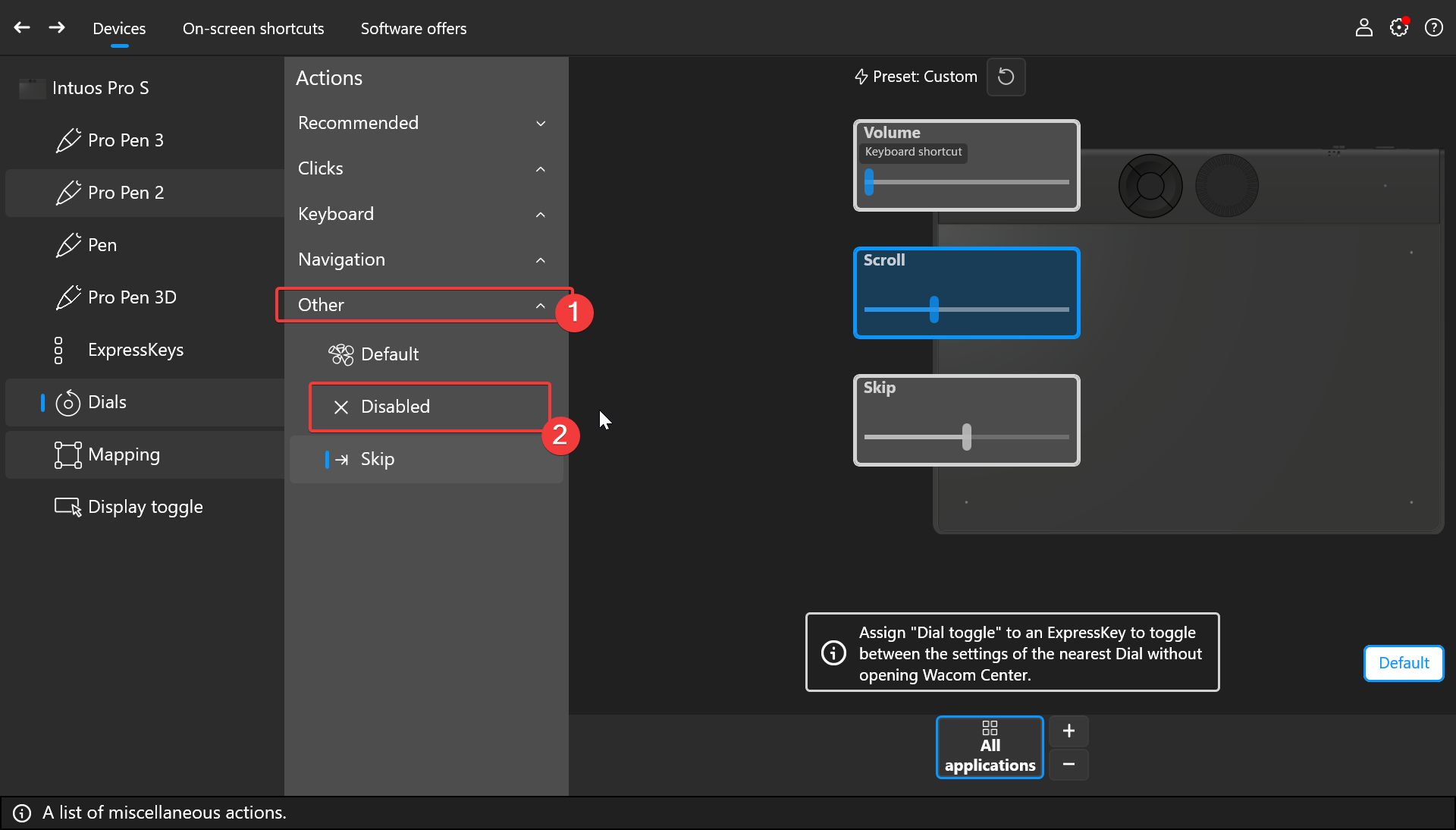
You can either disable or skip from the Other functions:
 0
0 -
Hi João,
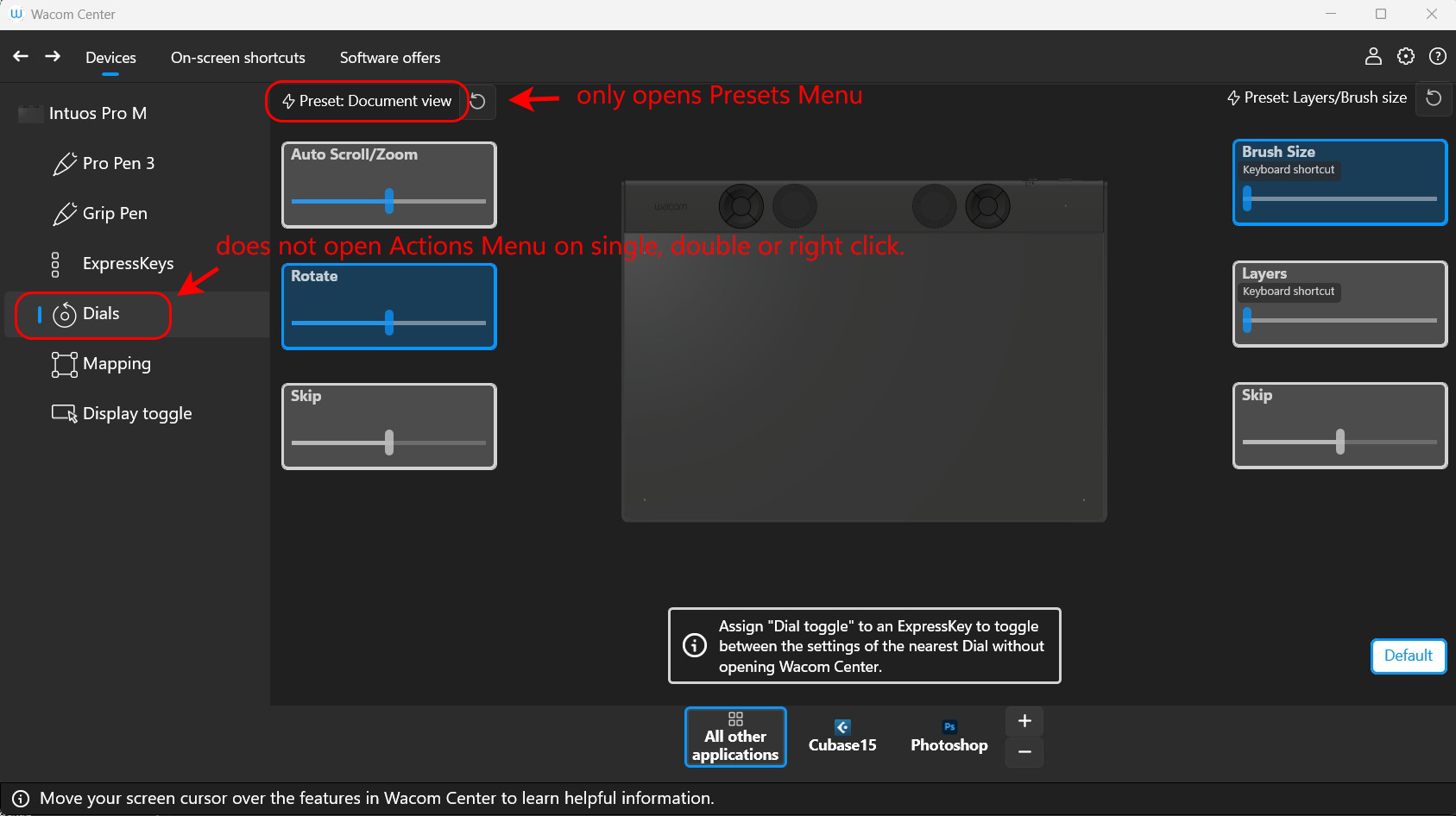
Thanks for getting back to me, but I can't access the Actions Menu which you show as being clickable from the Dials icon. When I single, double, or right click on the Dials icon, it does nothing (see attached JPG). I can access the presets menu from the Preset menu, but that does not contain the Disable choice. Is there something wrong with my tablet or software? Or am I doing something wrong? Thanks.
Barbara
 0
0 -
Hi Barbara Parkman,
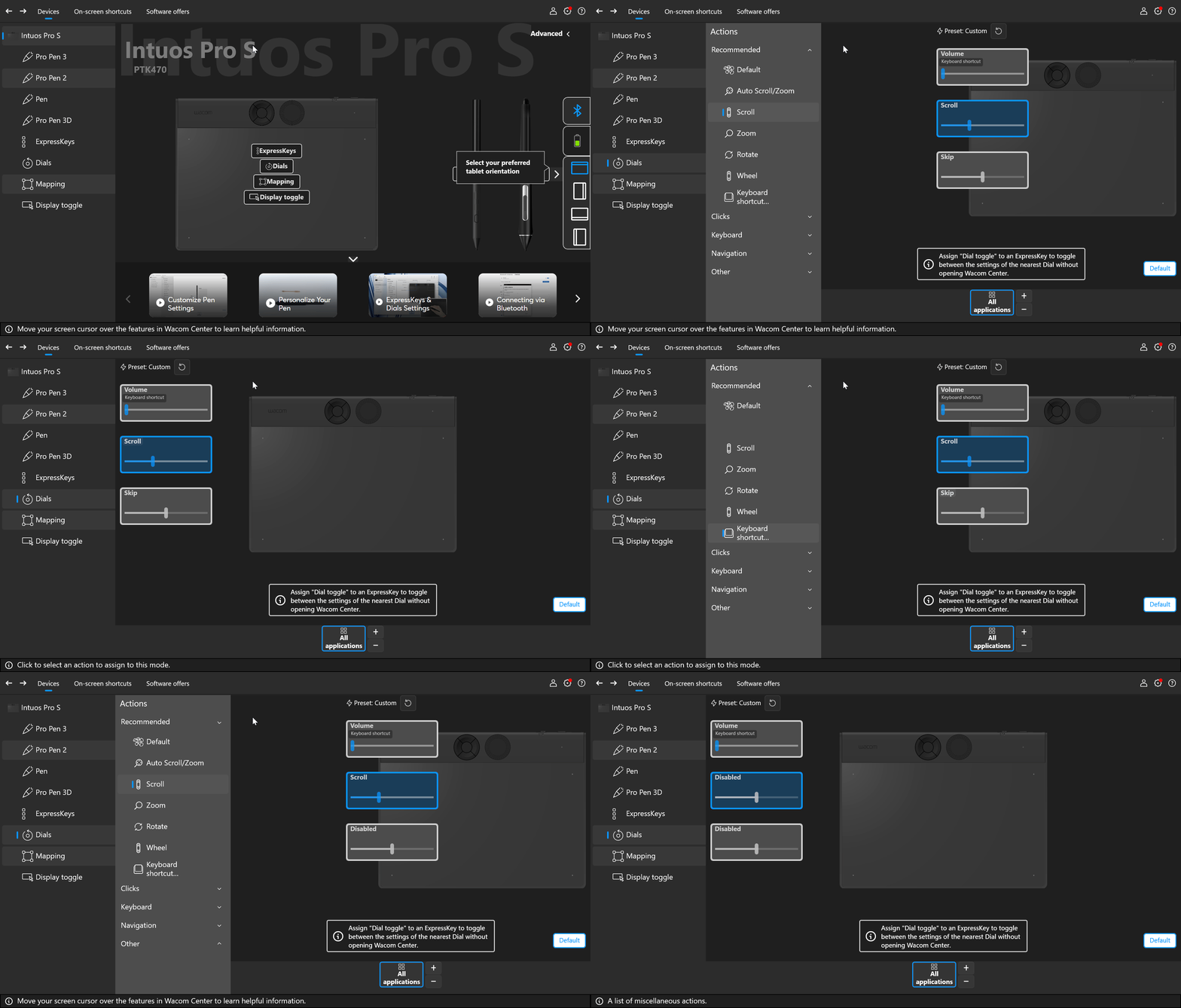
You need to click the function to bring up the menu.
See the GIF below.
 0
0 -
Thanks so much João. I had been clicking on the functions as well as the Dials icon, but I was clicking on the whole image of the function as if it was a button. When I clicked on just the label, I was able to bet the Actions menu.
Barbara
0
Please sign in to leave a comment.
评论
4 条评论