The Bluetooth settings may have been become corrupt.
To fix this issue, manually reset the temporary memory on the Wacom Intuos Pro by following the steps below. Note: Drawing files saved to the tablet while in paper mode will not be affected during this reset.
Directly to the right of the power button is a small pin hole which contains a reset button.
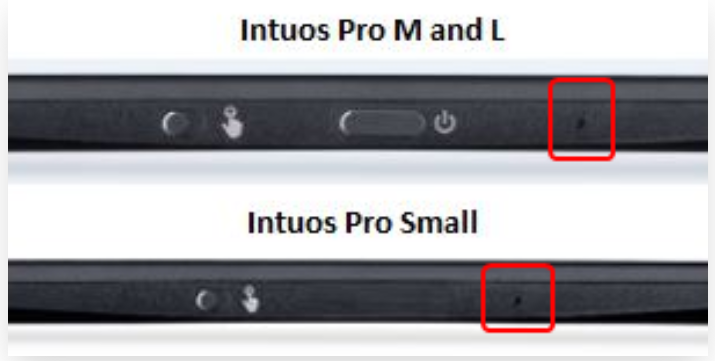
To reset the Wacom Intuos Pro:
- Use the reverse side of the Pro Pen 2’s Nib to reset the tablet
- Insert the reversed Nib straight into the hole and press firmly feeling the reset button depress
- Hold for 10-15 seconds until the power light on the tablet turns off, then release
Once released the tablet will turn back on, and the memory on the tablet is now reset to default.