wacom pro pen 3 button replacements [BROKEN]

The buttons are far to fragile and break after long term use. the tiny miniscule little piece of plastic holding the button in place snapped all of a sudden. I can not find anywhere to get a replacement, I don't want to buy a whole new pen just because a piece of plastic fell out. I believe my product is still under warranty, do I get any replacements for the pen, also what other Wacom pens work with the Wacom cintiq pro17. and for future reference where can I get parts replacements for the pro pen 3?

-

Hi cat .2,
I have opened a support ticket for you to follow with the support team. Please check your email. The team will reach out to you.
Cheers
2 -

Hi.
Unfortunately I have had the same experience with my Pro Pen 3 for my Movink, which is the exact same pen but an insert with nibs in the capacity of the weight instead.Had to order a new Pro Pen 3 that comes with replacements as there are none to be bought sperately.
Can I get an reimbursement or a repleacement for this pen or anything?
Any help appreciated.
All the best,
Marty 3
3 -

Hello,
I had the same issue. The support service was very reactive, no problem on that front, but if you have one of those pen do be warned that the buttons are fragile.3 -

Greetings,
I have the same issue with the Wacom Movink Pro Pen 3. The buttons are breaking away. This is a defective design. I want a replacement for all 5 of the Movinks my organization has purchased.
3 -

OMG... this just happend to mine andf I now can't work!!!!
Anyone got any way to fix this rubbish design - I've had mine for less than a month!!!!2 -
Hi Michael Currie,
Sorry to read that. Please reach out to the support team to sort out a replacement.
https://support.wacom.com/hc/en-us/articles/4402518273943-How-do-I-contact-Wacom-Support
1 -

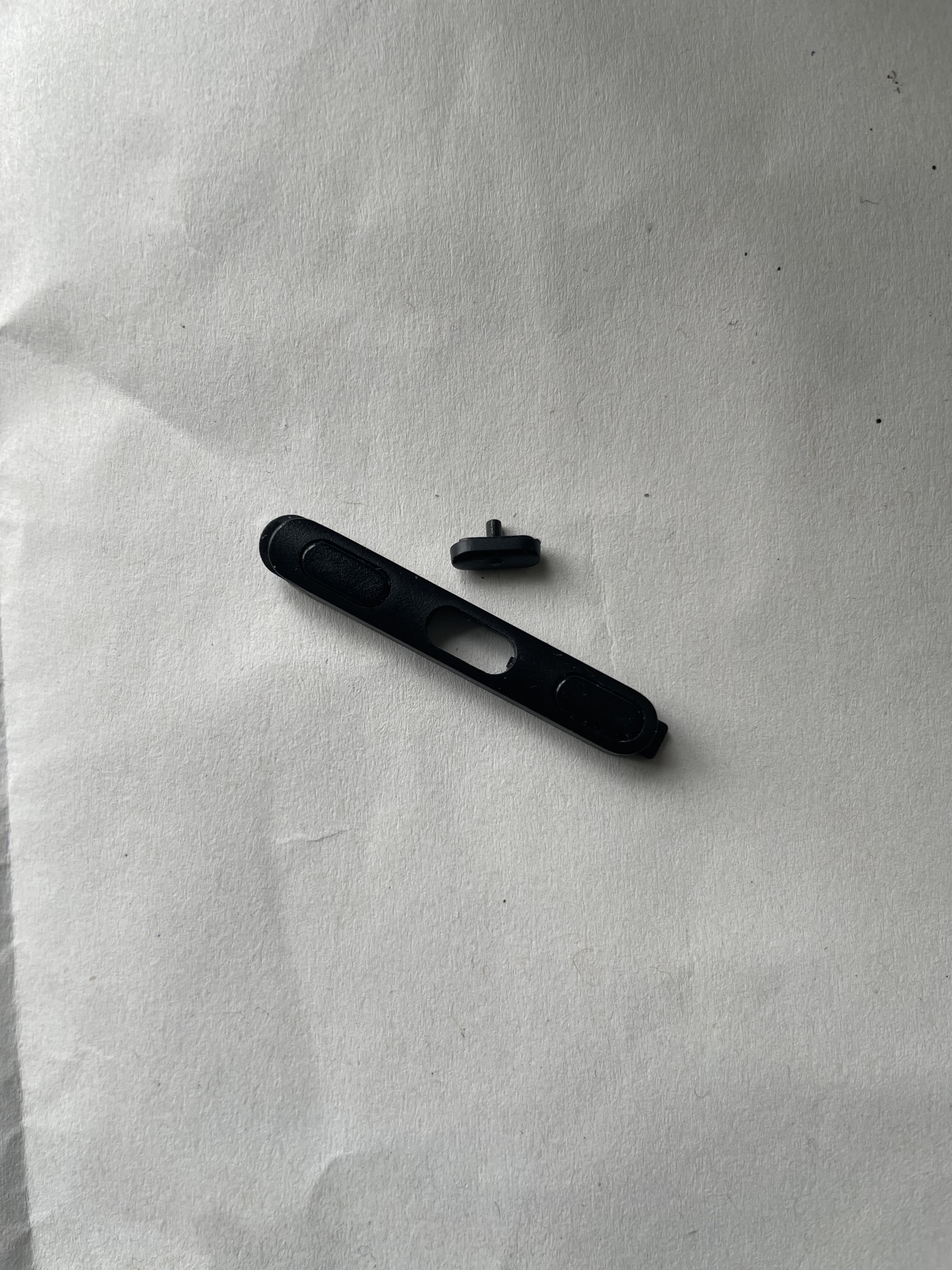
The buttons for my pro pen 3 just broke and I only purchased my Cintiq Pro in May of this year, and I'm currently on a project so I really need it!
 1
1 -
Hi Andrew Clarke,
I see you already reached out to the support team. Seems there was some confusion as there is no need to check anything with the pen before sending the replacement. I asked the team to prepare the shipment ASAP and will be keeping an eye on the ticket.
1 -

This is ridiculous. Support says no replacement insert are available, so they are sending a Pro Pen 3 as a replacement.
That doesn't solve the problem at all. Wacom really needs to stop selling crappy products if they expect us as customers to trust them again.2 -

The Wacom pro pen 3 feels like a cheap toy, just got it with the new Cintq24 2025, it comes without any of the absolutely necessary “extras” (rubber grip, counter balance etc etc) and after 20+ years using grip type pens or pro pen 2 this pro pen 3 hurts when holding it more than 10minutes. Knowing that the buttons break so quickly has made me go back to using a grip pen again. Pity.
1 -
Hello again, I received a replacement Pro Pen3 (even though I only requested a replacement button insert as seen in my previous post) but did not receive a prepaid package to send my original Pro Pen 3 back even though there is nothing wrong with it. So what do I do? I find it strange that Wacom is stating that the Pro pen 3 is customisable yet accessories aren't available separately.
0 -
Hi Andrew Clarke,
You should have gotten all the instructions by mail from the support team. if you have any questions about the process, please refer to them.
Accessory bundles are planned and will be available on the eStore later.
0 -

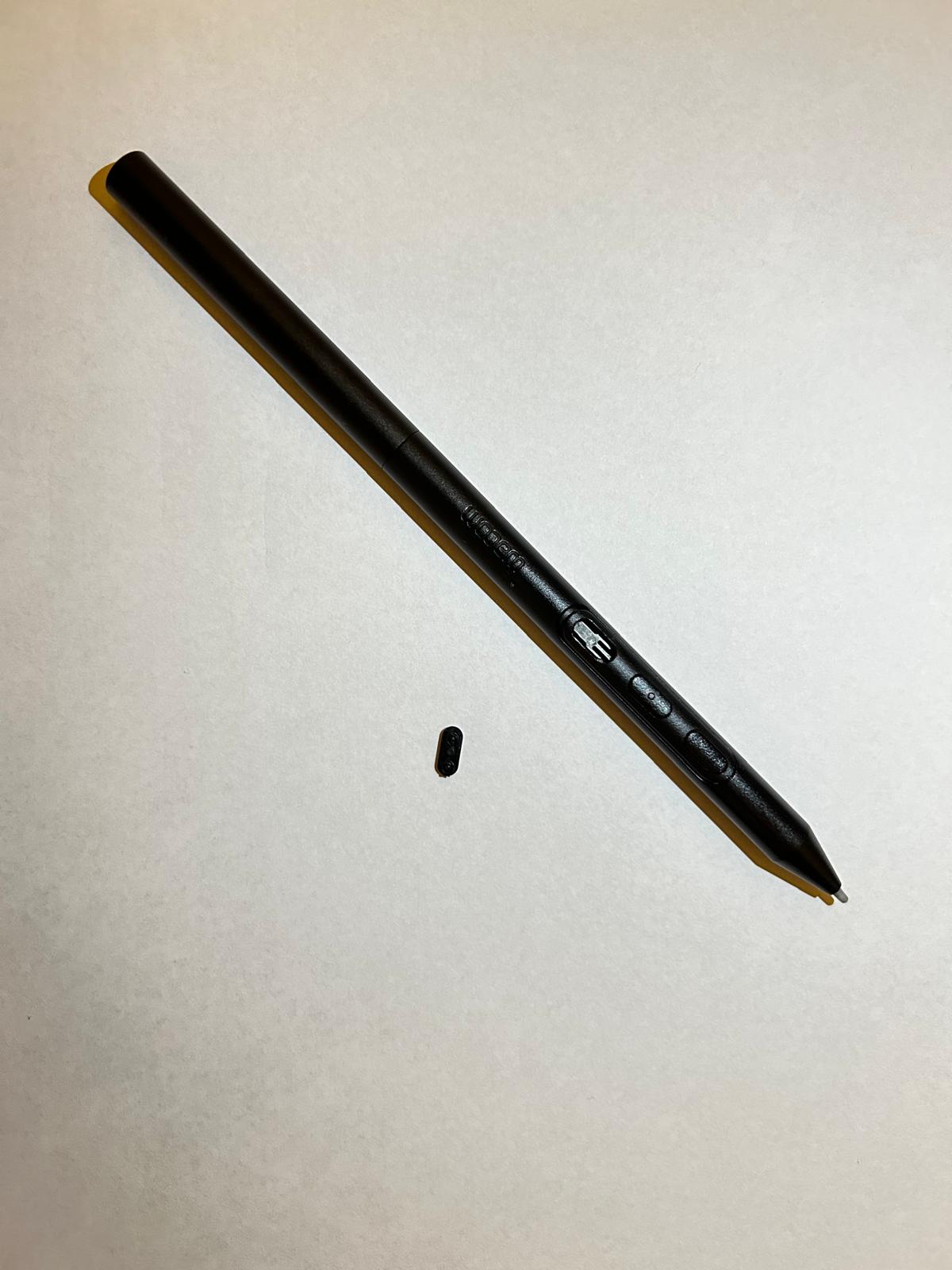
Hello, I just created a ticket but then I stumbled upon this post. I am also facing the same problem! I only had it for a month and one of the buttons is broken. I wonder if this is included in my warranty and hope I could figure out how to get it fixed or replaced :-(
 0
0 -
Hi Thuy-Vy Dang,
I checked your ticket and I see we are already preparing a replacement to be shipped. You should get it soon.
Cheers
0 -

Hello, I'm having the same problem and I have just created tickets for it. Please send over replacements as soon as possible
Beyond frustrated.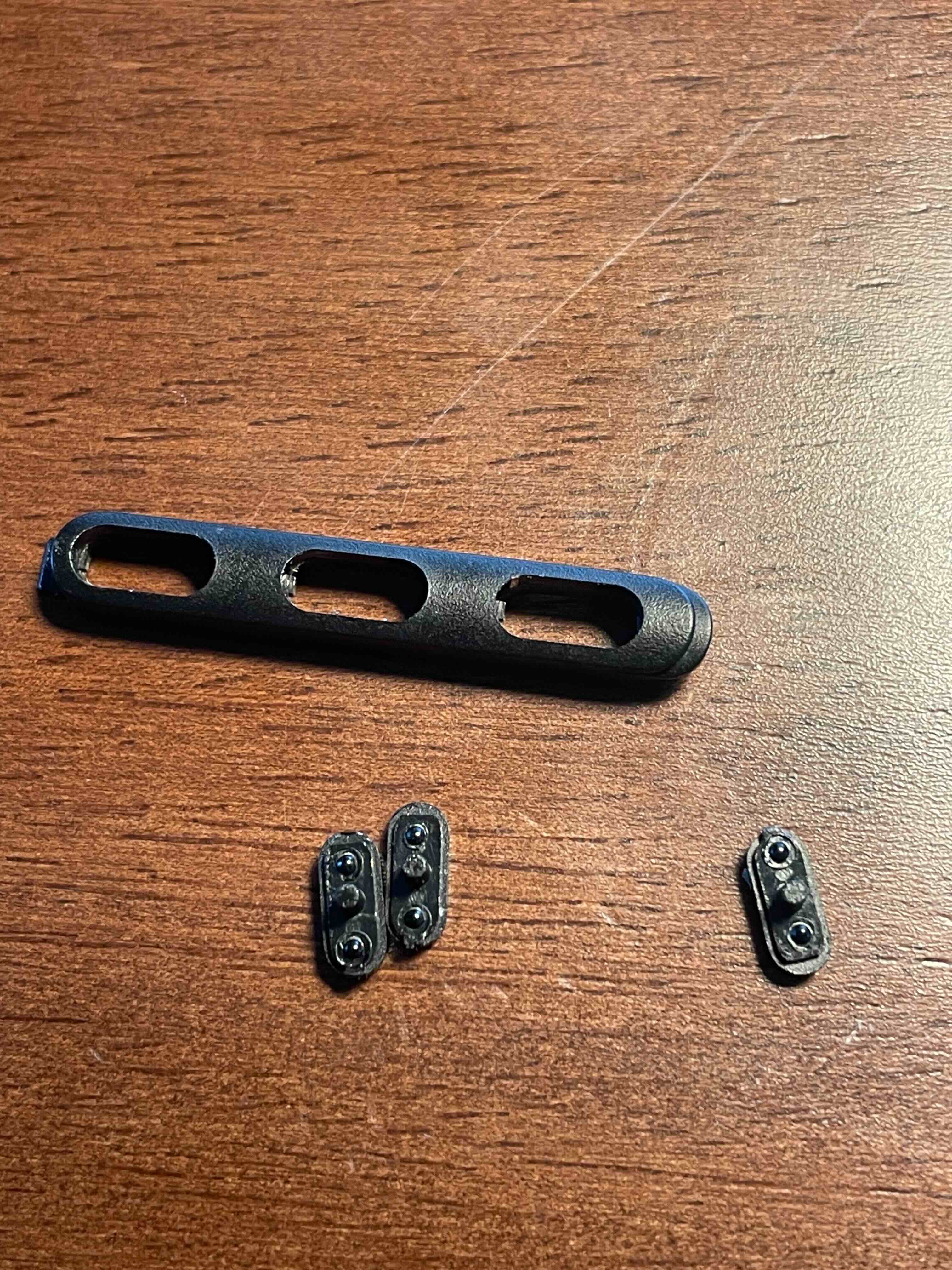
Cheers0 -

Had this pen for less than a month and the button is already broken, the accessories along with the tablet don't even include replacement. Frustrating that they don't have an extra one for one with the flare grip.
 0
0 -

Hello
Same issue here.
Bought a pro L tablet october last year 2024, in replacement of my wacom intuos 3 from 20+ years back that still work but ain't compatible with nowadays softwares. :( Big fan of wacom for 25 years.
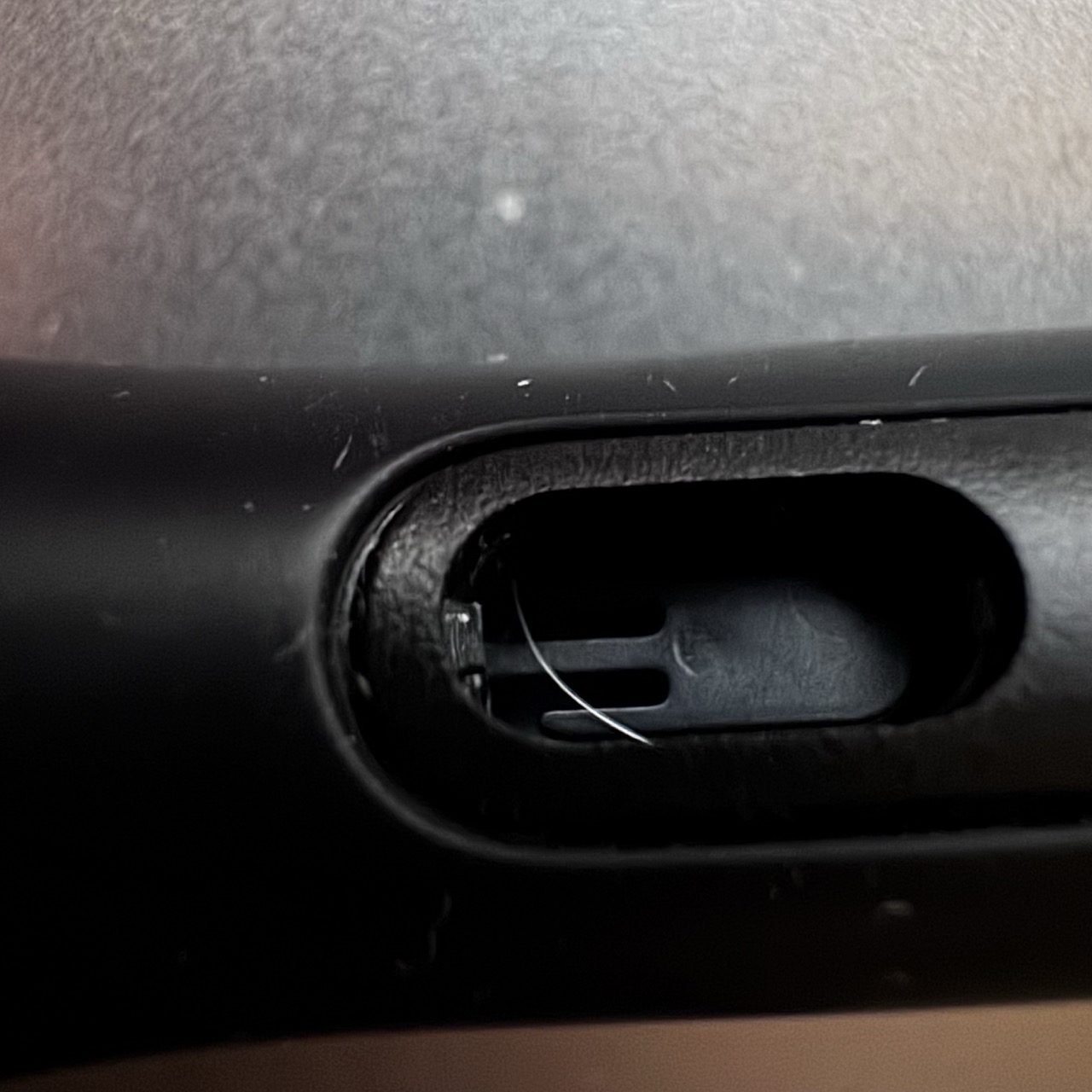
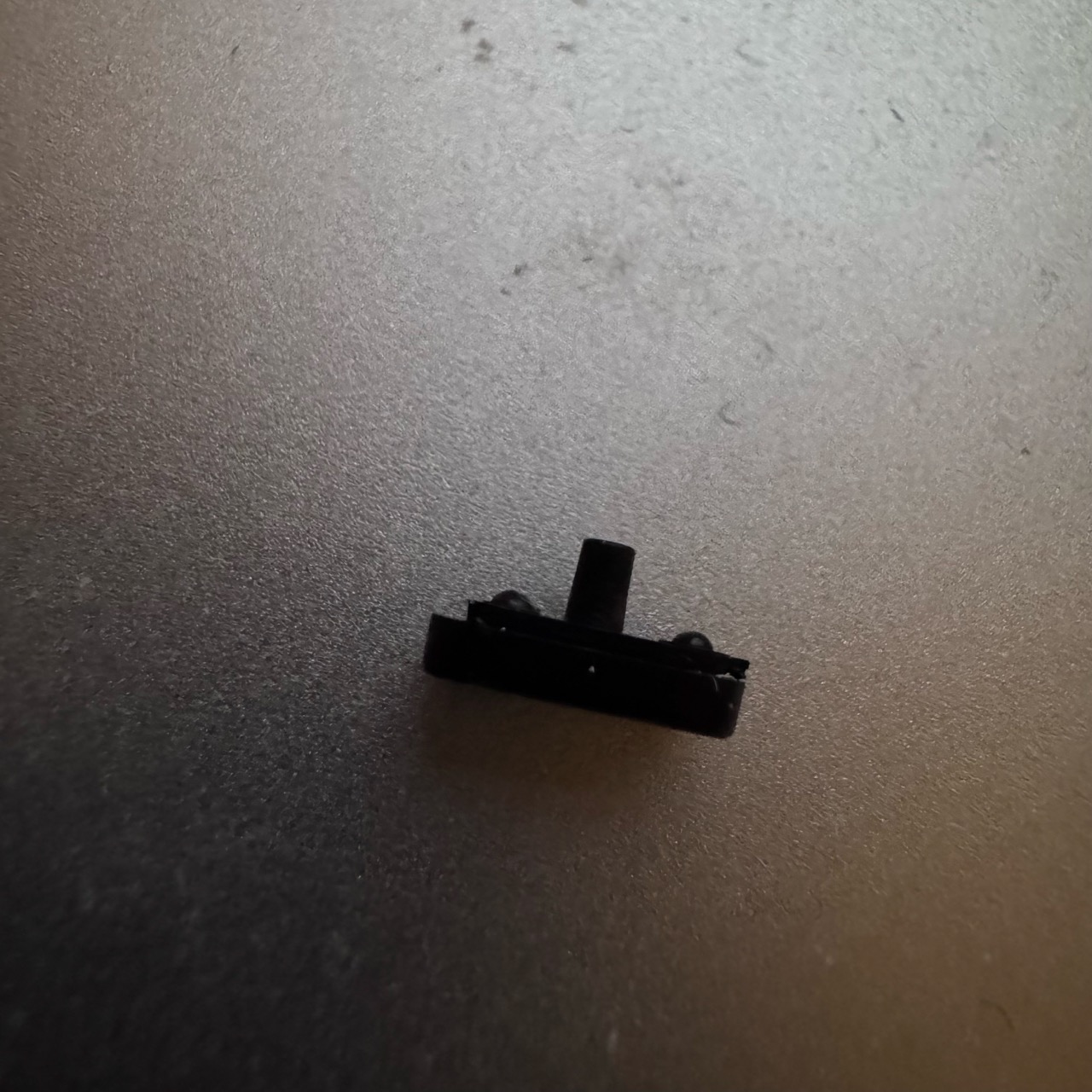
So, I was just working, and while I tried to click I realised there were no more first button. Found it nere the support device. Just felt like what. Really hate those tiny buttons designs, plus they just fall appart.
So, after contacting support without much help,(they eventually could replace it but I use it as pro work, can't wait) ;
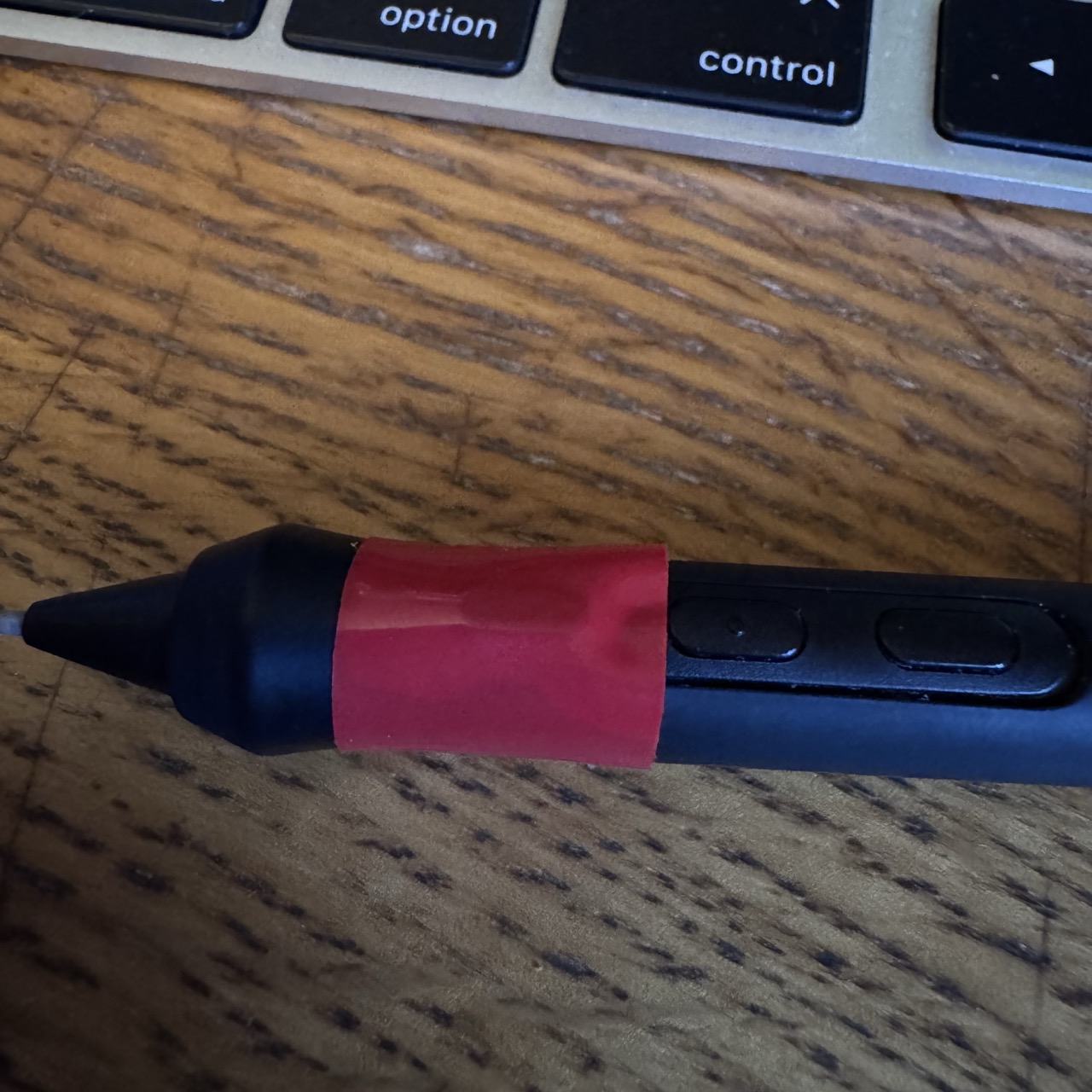
I used the scotch tape hack, feels so cheap but at least I can work. Preventing button from falling appart with scotch tape! Come on Wacom !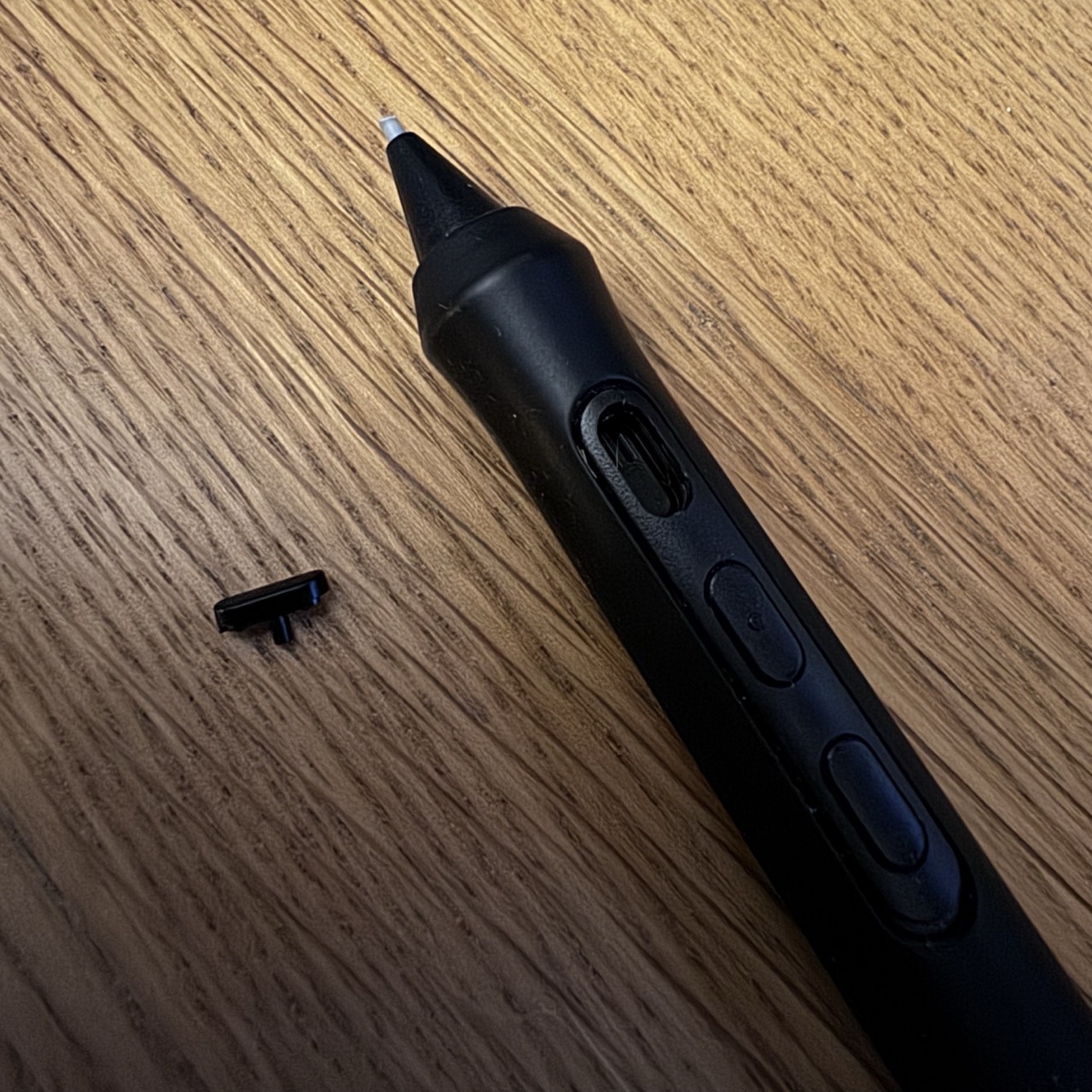
 0
0 -
Hi Bea C and Corentin Seguin de Broin,
Sorry to see this. I have created support tickets for you so we can see what we can do to get you some replacements. Please keep an eye on your email.
1 -

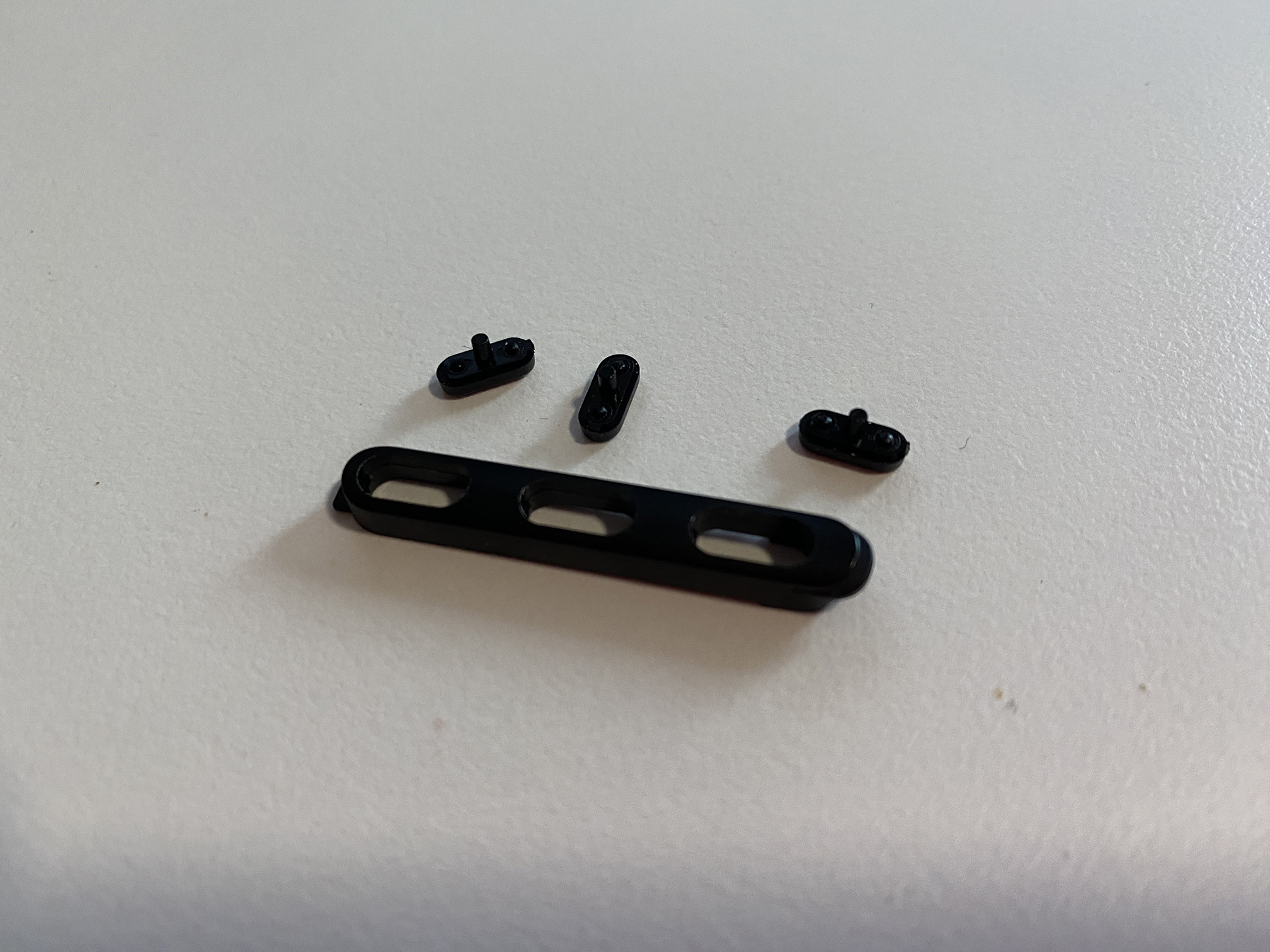
This new Pro Pen 3 is pretty poorly constructed. After just a few months of use the buttons have all just fallen out. Pretty terrible design. The previous model of the pen was so much more robust. I got many years of use out of that without any issues and the ergonomics were so much better. I only updated the tablet because Wacom stopped supporting the drivers.
 0
0 -
Hi Darryn Rogers,
Really sorry to see that.
I see you have already reached out to support and that they are already taking care of getting you a replacement.
0 -

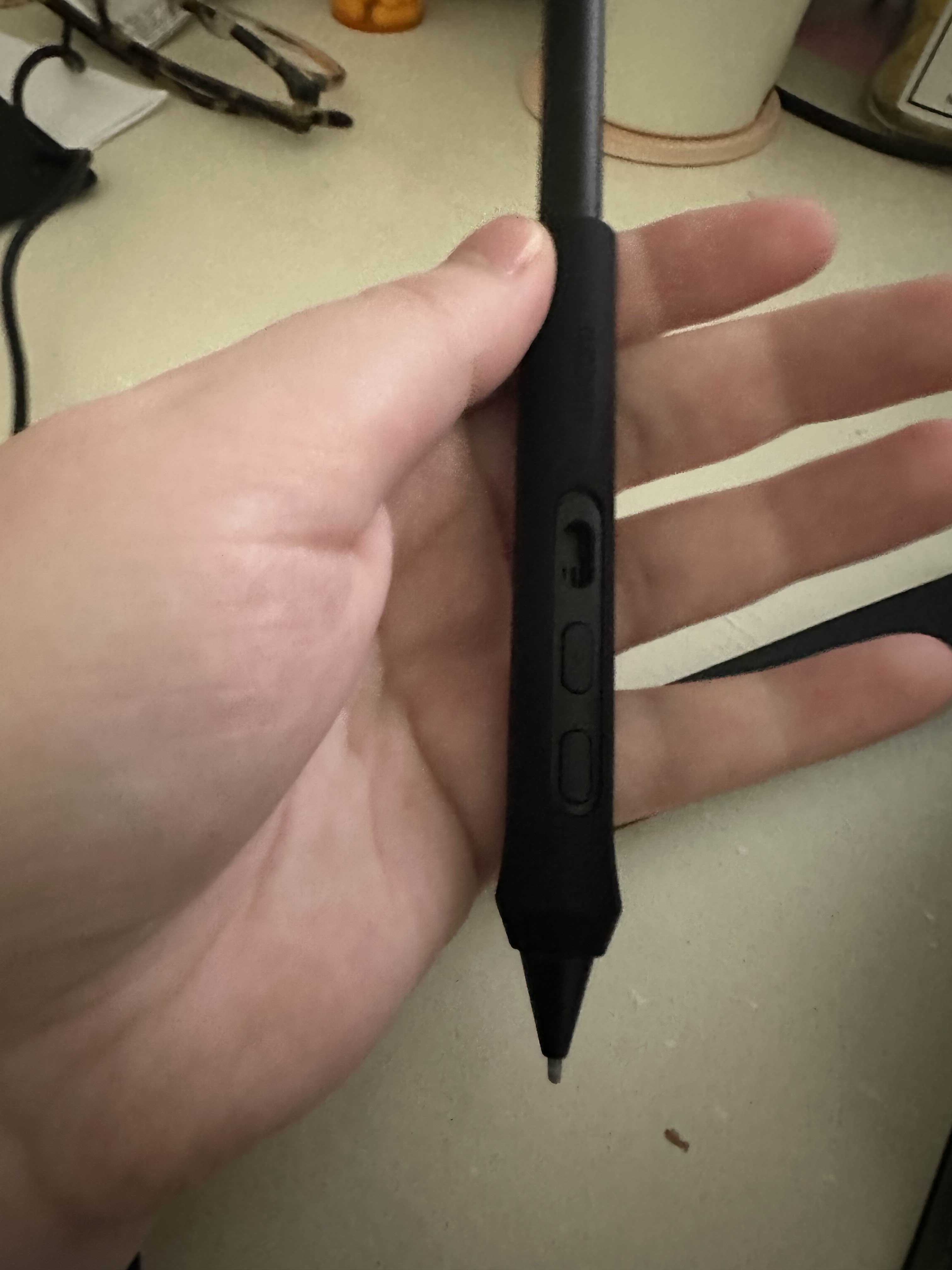
Hi, I am also having this problem, I got my Intuos Pro 2025 less than a month ago and one of the pen buttons on the default configuration has snapped off.
 0
0 -
Hi Jill Conley,
Sorry to see this has happened to you. I saw that you already contacted the support team and replacement is on it's way.
0 -

Same happened to me today, after buying the tablet new a month ago. Only a few hours of use!
My last pen lasted upwards of 10 years. I was forced to update due to the lack of software support.
The old pen design was WAY better also I find.
Super disappointed.
I've lodged a claim for a replacement, but this is causing me to miss work now while it gets (hopefully) approved.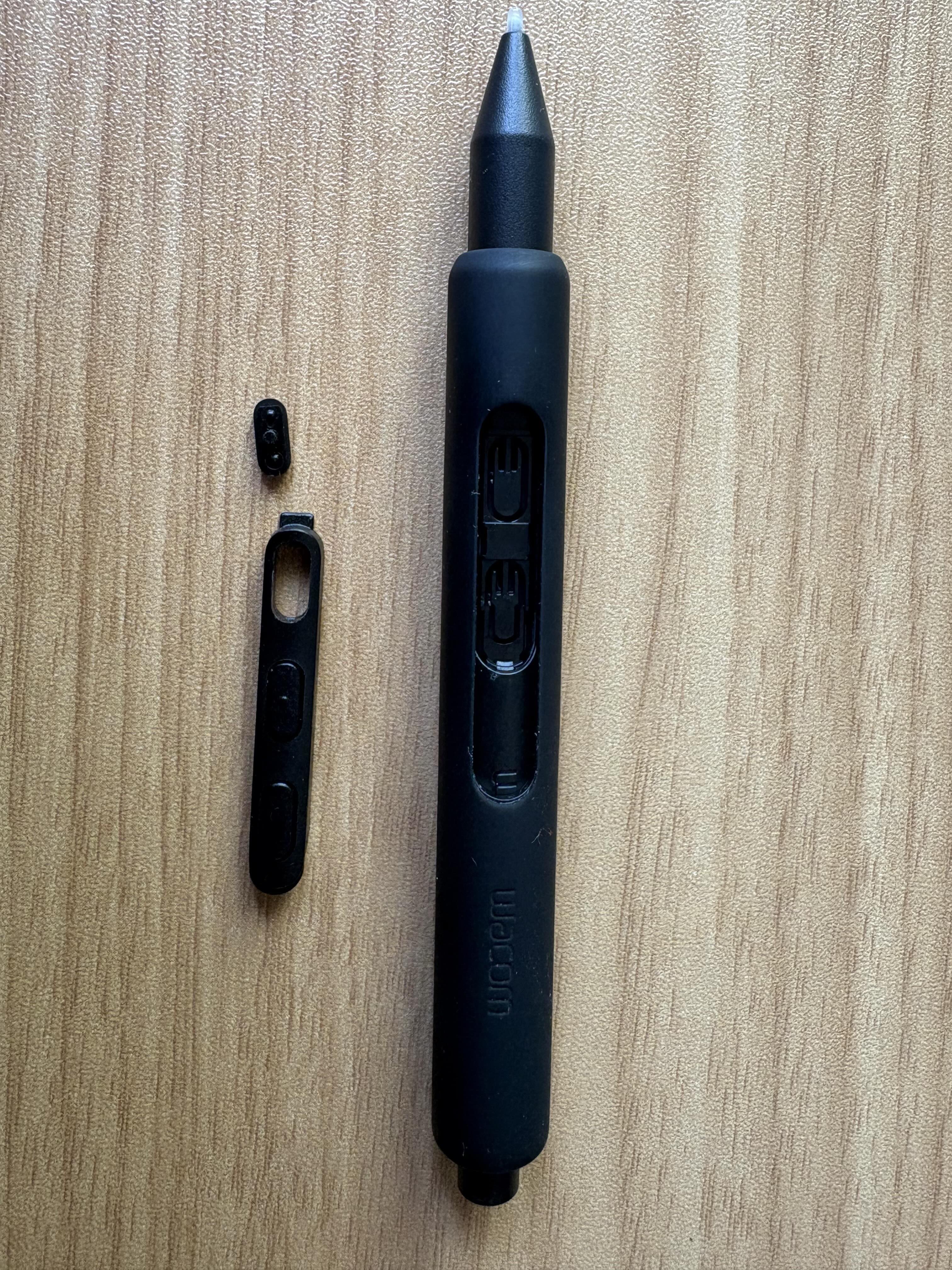 1
1 -
Hi Jim Morrison,
Sorry to see this. I saw your request and I see that an order for a replacement has already been created. I hope you get it soon.
0 -

Yes, we have had the same problem. Need to replace just the buttons. The Pen is fine.
Buttons break much too easily. Please sell pen parts separately! thanks
0 -
The solution here is definitely not to sell us parts of a faulty product. This is a Design fault plain and simple. A better company would run a product recall. The least they can do is start shipping a better quality button out to customers.
None of us should have had to waste our time here after only a matter of weeks or months on a ‘premium’ product. Do better Wacom3 -

Having the exact same problem. How can I organise a replacement part please?
0 -
I see that you already contacted support and that a replacement order has been placed. I hope it arrives soon.
Cheers
0 -
Its been 2 weeks and I still haven't received a replacement button. My Tablet was 1 month old when it broke from casual use. My productivity has been impaired, as I can't use it until the issue is resolved.
Can I return the product for a full refund?0 -

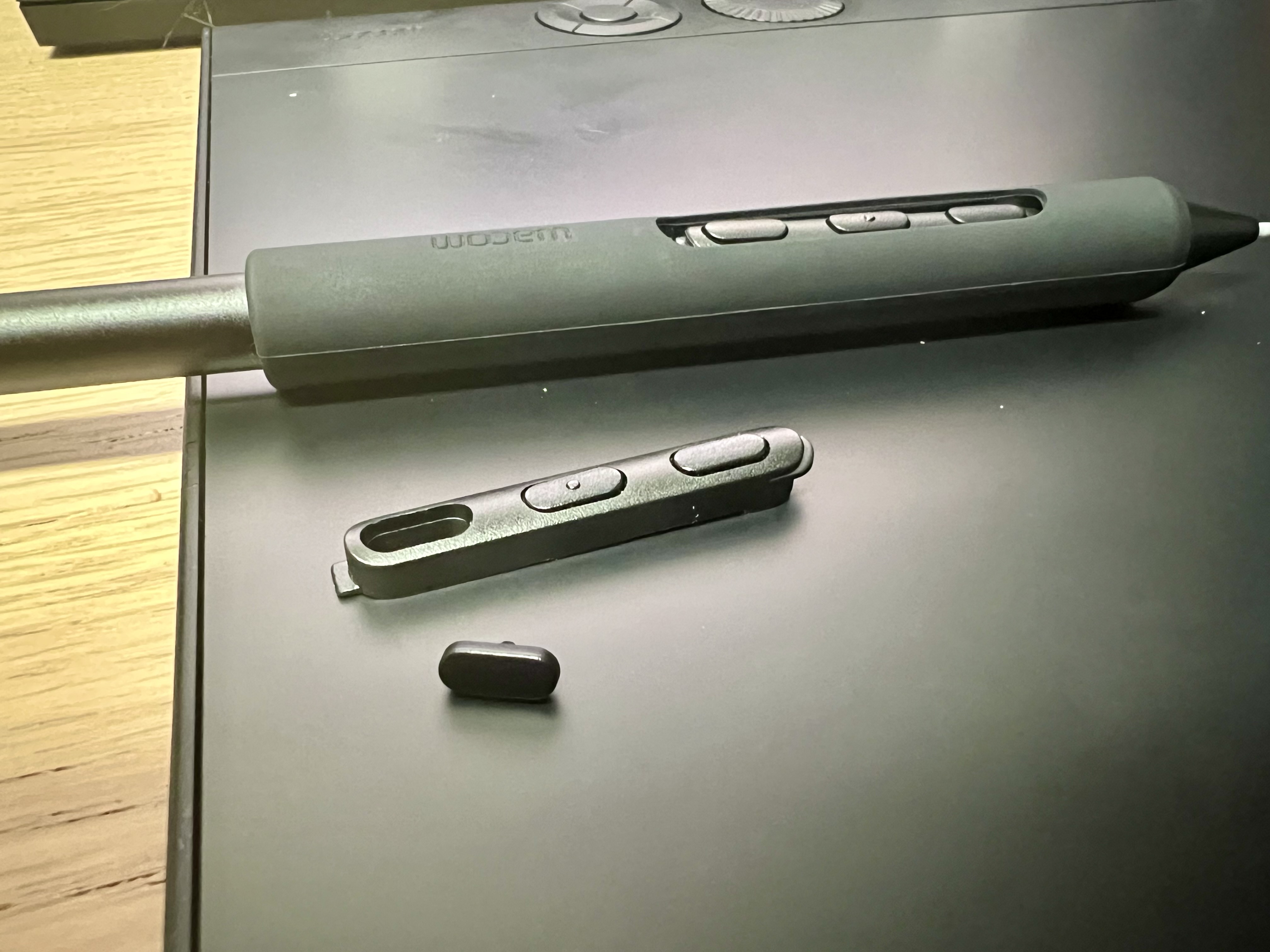
Bought the Intuos Pro Medium 2025 about a week ago and one button already broke...
 0
0
Please sign in to leave a comment.
评论
40 条评论